Corrigo E Heating manual, revision G Chapter 6 Display, LEDs and buttons 22
Chapter 6 Display, LEDs and buttons
This section is applicable to Corrigo E units with display and buttons but also to the hand terminal
E-DSP which can be connected to Corrigo E units without display and buttons.
6.1 Display
The display has 4 rows of 20 characters.
It has background illumination. The illumination will normally be off but will activated as soon as
any button is pressed. The illumination will be turned off again after a period of inactivity.
6.2 LEDs
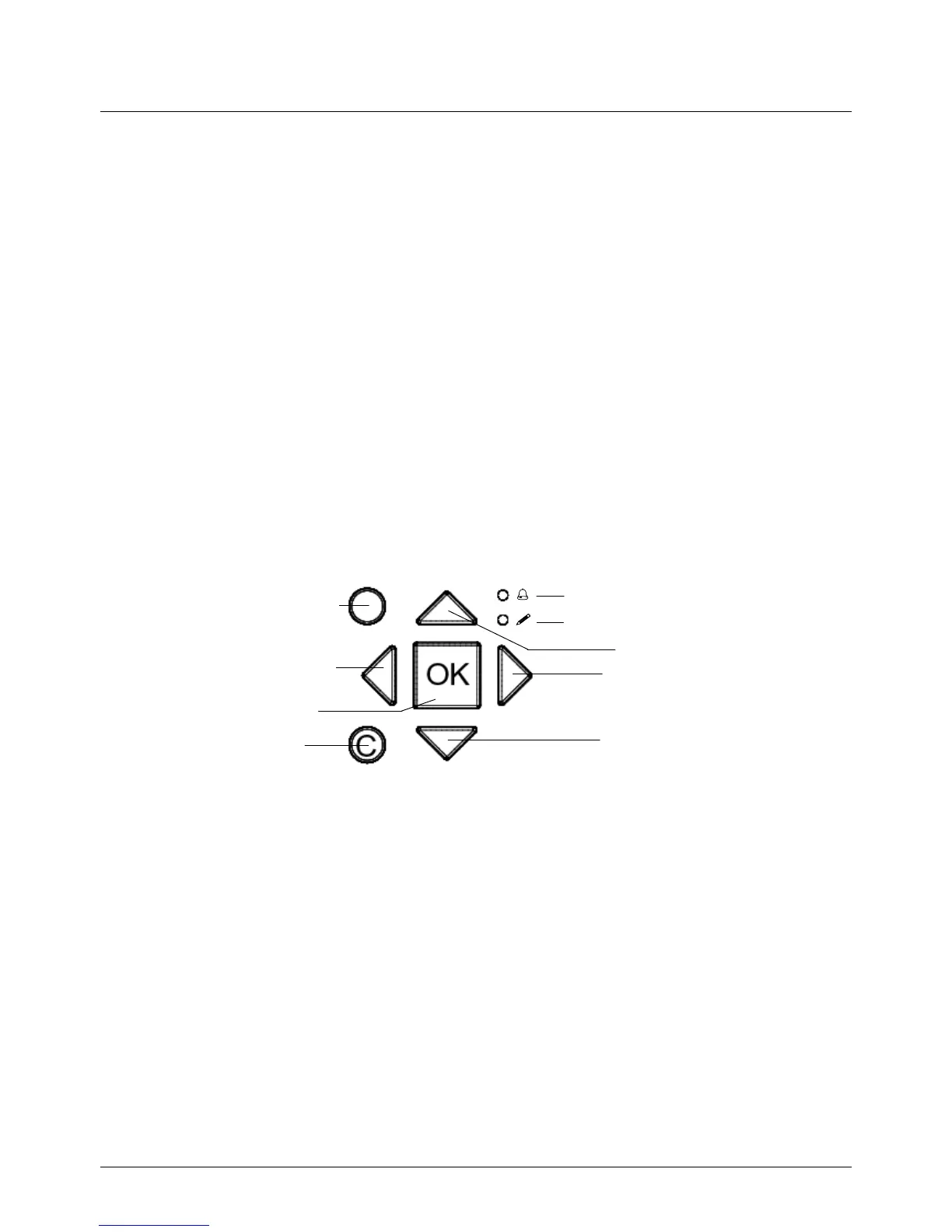
There are two LEDs on the front: The alarm LED marked with the symbol. The “write enable”
LED marked with the symbol.
The four LEDs placed next to the upper terminal strip will be described later.
6.3 Buttons
There are seven buttons: 4 arrow buttons which will be called UP, DOWN, RIGHT and LEFT. The
menus in the Corrigo E are organized in a horizontal tree structure. The UP / DOWN-buttons are
used to move between menus at the present menu level. The RIGHT / LEFT buttons are used to
move between menu levels. When changing parameters the UP / DOWN buttons are used to
increase / decrease the value of the parameter and the RIGHT / LEFT buttons to move between
digits within the parameter.
• The OK button is used to confirm the choice of a parameter setting.
• The C button is used to abort an initiated parameter change and restore the original value.
• The ALARM button, marked with a red button top, is used to access the alarm list.
Alar



 To Next Page