28
5.8.2
Help in case of faulty programming
If the remote radio control does not functions
as desired, we recommend that you delete all
the settings carried out at the repeater and at
the radio receiver unit during the
programming process and repeat
programming.
Deleting the radio sender unit at the
radio receiver unit
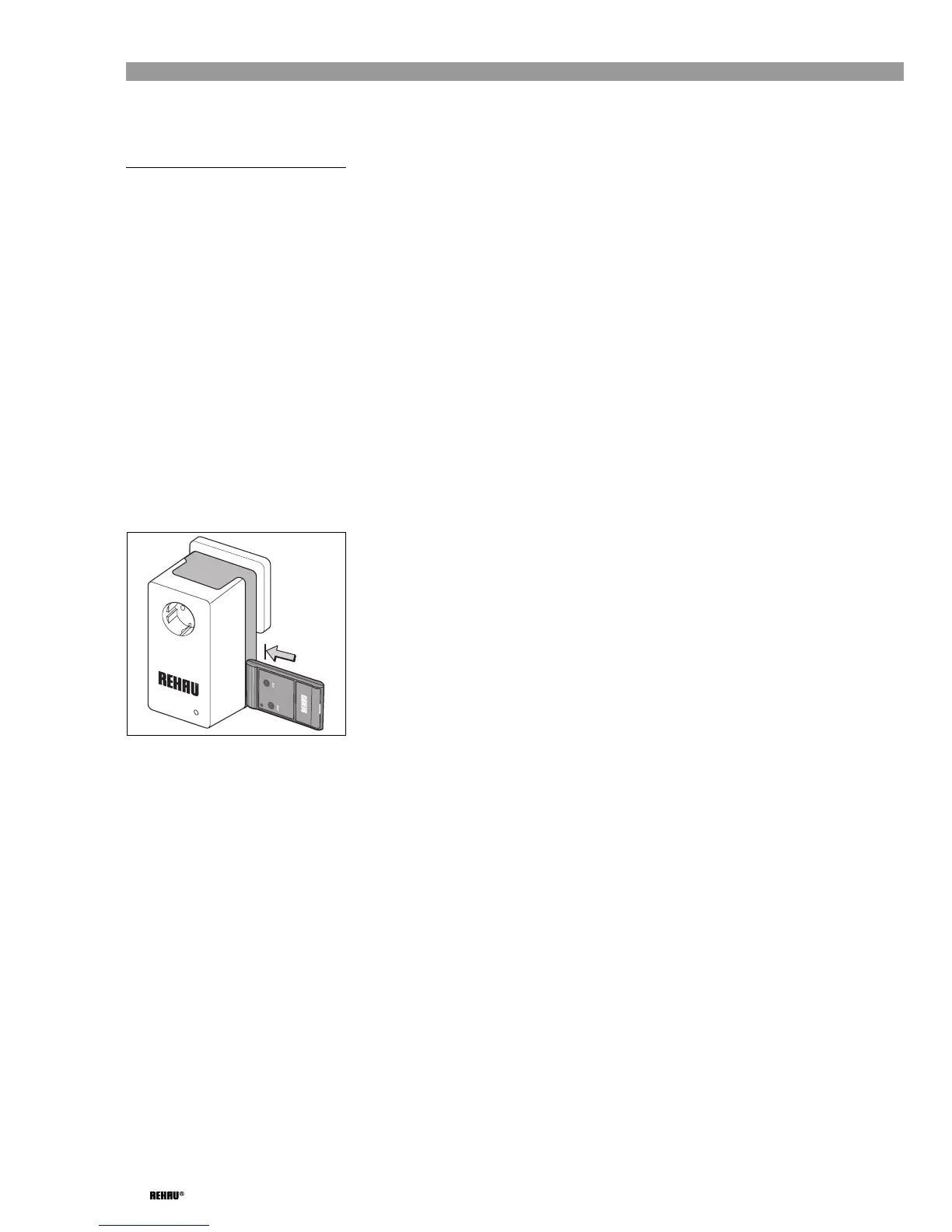
➜ Hold the radio sender unit against the dark
rear section of the radio receiver unit
enclosure so that it makes contact with it
(see Fig. 5-30).
➜ Press one of the two buttons on the radio
sender unit, and keep it pressed until the
yellow LED lights up on the radio receiver
unit and it goes out again after 5 seconds.
➜ Remove the radio sender unit and release
the button.
The radio sender unit is now deleted, the
central vacuum unit can no longer be
switched on.
Fig. 5-30: Deleting the radio sender unit at
the radio receiver unit
Deleting the radio sender unit at the
repeater
Procedure: see "Deleting the radio sender
unit at the radio receiver unit" on Page 28
(however, read "repeater" instead of "radio
receiver unit").
Deleting the repeater from the radio
receiver unit
➜ Plug the plug of the extension cable near
the radio receiver unit into a socket.
➜ Hold the repeater against the radio
receiver unit so that it makes contact with
it (see Fig. 5-29) and plug it into the
extension cable in this position.
The yellow LED at the radio receiver unit
lights up.
➜ Remove the repeater from the radio
receiver unit.
After 30 seconds of continuous lighting the
yellow LED at the radio receiver unit
changes to rapidly flashing mode for
approx. 3 seconds and then goes out.
The deleting process has been completed.
➜ Disconnect the repeater from the
extension cable.


 To Next Page