3-1
Preparation before Using the PSC Console
CHAPTER 3
Preparation before Using the PSC Console
This chapter describes connection of the PSC Console to the PSC3000, PSC4000
or PSC5000 System and the standard setting for operation of the PSC Console.
3.1 Connection of the PSC Console to the PSC3000/
PSC4000/PSC5000 System
The interface cable connector on the PSC3000, PSC4000 or PSC5000 System side
must be connected to the PORT-A of the PSC Power Supply Card or PSC Power
Supply Card II (see PSC Power Supply Card and PSC Power Supply Card II
Engineering Manual EM 23602). Connecting or disconnecting the interface cable
connector to or from the PORT-A can be performed even while the PSC3000,
PSC4000 or PSC5000 System is powered ON. Note that when the PSC Console is
connected to the PSC Power Supply Card while the PSC3000, PSC4000 or
PSC5000 System is powered ON, a communication error (TRANSFER FAILED)
may be raised, but this error will automatically be cleared in about one second.
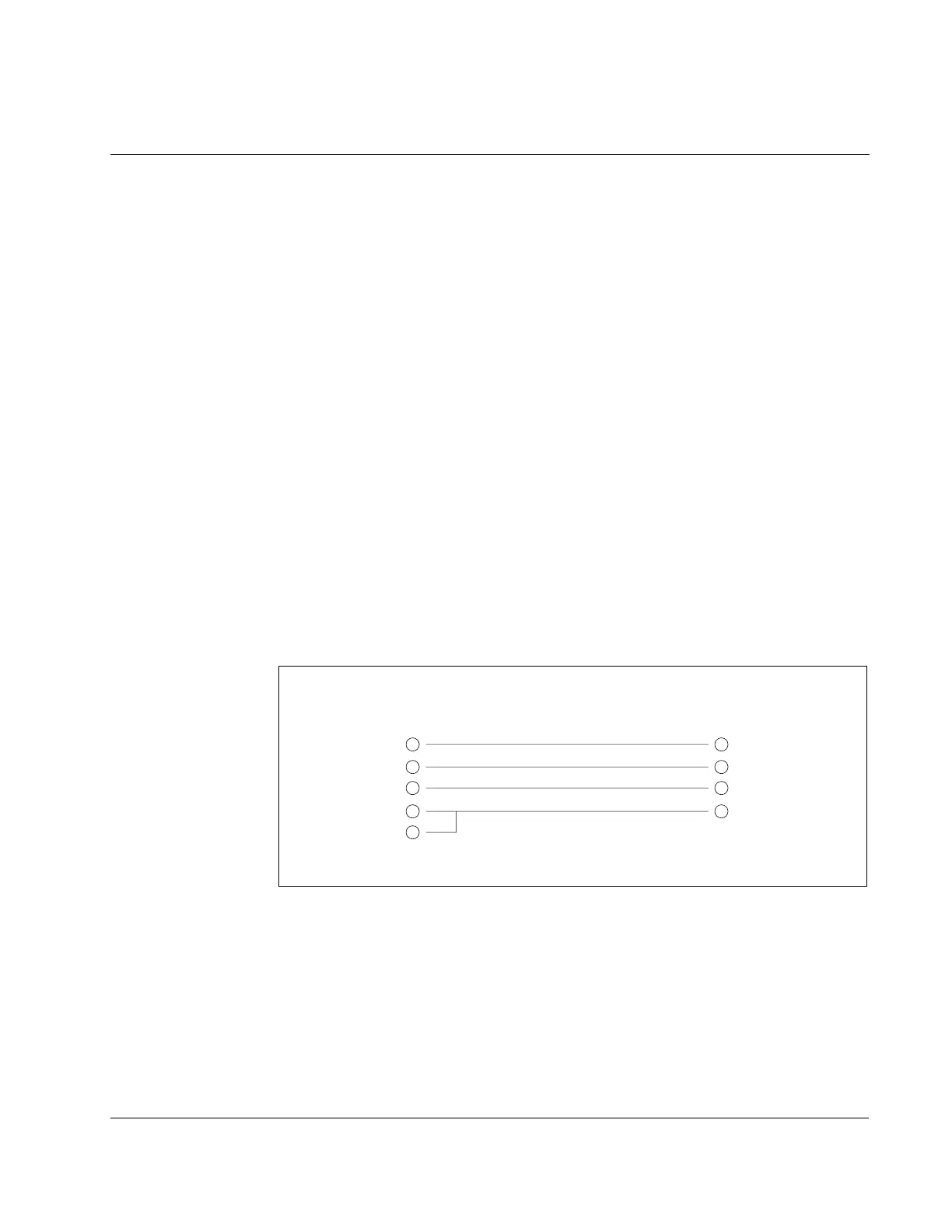
A 25-pin D-shell female connector is used for the Console side and a 9-pin D-shell
male connector for the PSC3000, PSC4000 or PSC5000 System side. Therefore, a
conversion adapter (SM-9407) as shown in Figure 3.1 is required for this
connection. Note that the conversion adapter is an item to be purchased separately.
Figure 3.1 – Conversion Adapter for Connection between the PSC Console
and the PSC3000/PSC4000/PSC5000 System
25-pin D-shell female connector
on the PSC Console side
9-pin D-shell male connector
on the PSC3000/PSC4000/PSC5000 side
2
3
9
7
10
2
3
9
5
Note: The unused pins must be kept open.



 To Next Page