33
Meter Maintenance and Troubleshooting
8
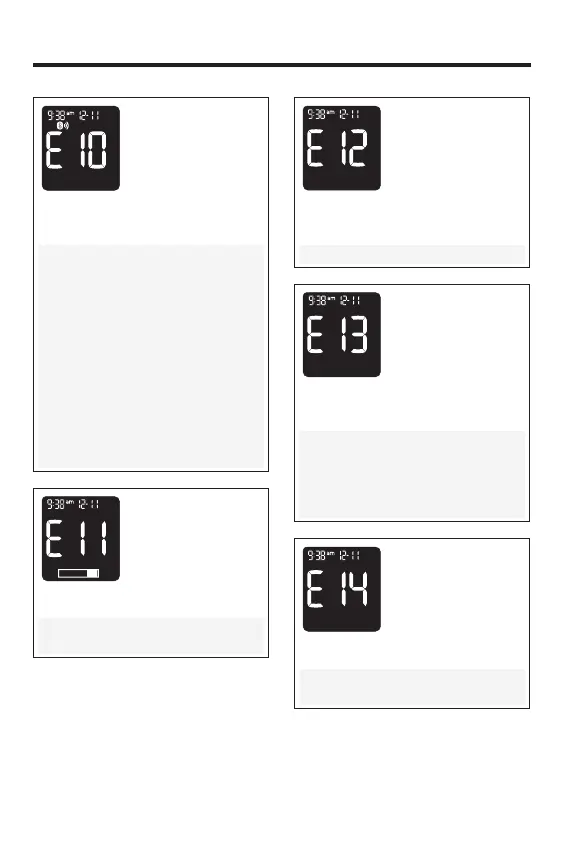
(The error code and Err will
alternate on the display.)
The time and date setting may be
incorrect.
A flashing wireless symbol appears
while the meter attempts to
synchronize the time and date with the
paired device. When the wireless
symbol no longer appears, press the
Up button to turn the meter o. Press
the Up button a second time until the
flashing test strip symbol appears. If
time and date sync was not successful
the meter prompts you to set them the
next time you turn it on. See the
Setting the Time and Date section in
the chapter Your New System.
(The error code and Err will
alternate on the display.)
The test strip may be damaged.
Repeat the blood glucose or control
test with a new test strip.
(The error code and Err will
alternate on the display.)
Your blood sample may contain a high
level of ascorbate.
Contact your healthcare professional.
(The error code and Err will
alternate on the display.)
Fluid or foreign material may be
present in the test strip slot.
Remove and reinsert the test strip or
repeat the blood glucose or control test
with a new test strip. If the error
persists, contact Customer Service at
1-800-819-1097.
(The error code and Err will
alternate on the display.)
An electronic error has occurred.
Contact Customer Service at
1-800-819-1097.
83561_09410155001A EN ReliON.indd 3383561_09410155001A EN ReliON.indd 33 3/23/2022 11:24:32 AM3/23/2022 11:24:32 AM



 To Next Page