6
7
6
NU760_1_G1-FRA.qxd 10/11/05 10:11 Page 1.73
1.73
EXTERIOR LIGHTING AND SIGNALS (continued)
Front fog lights
g
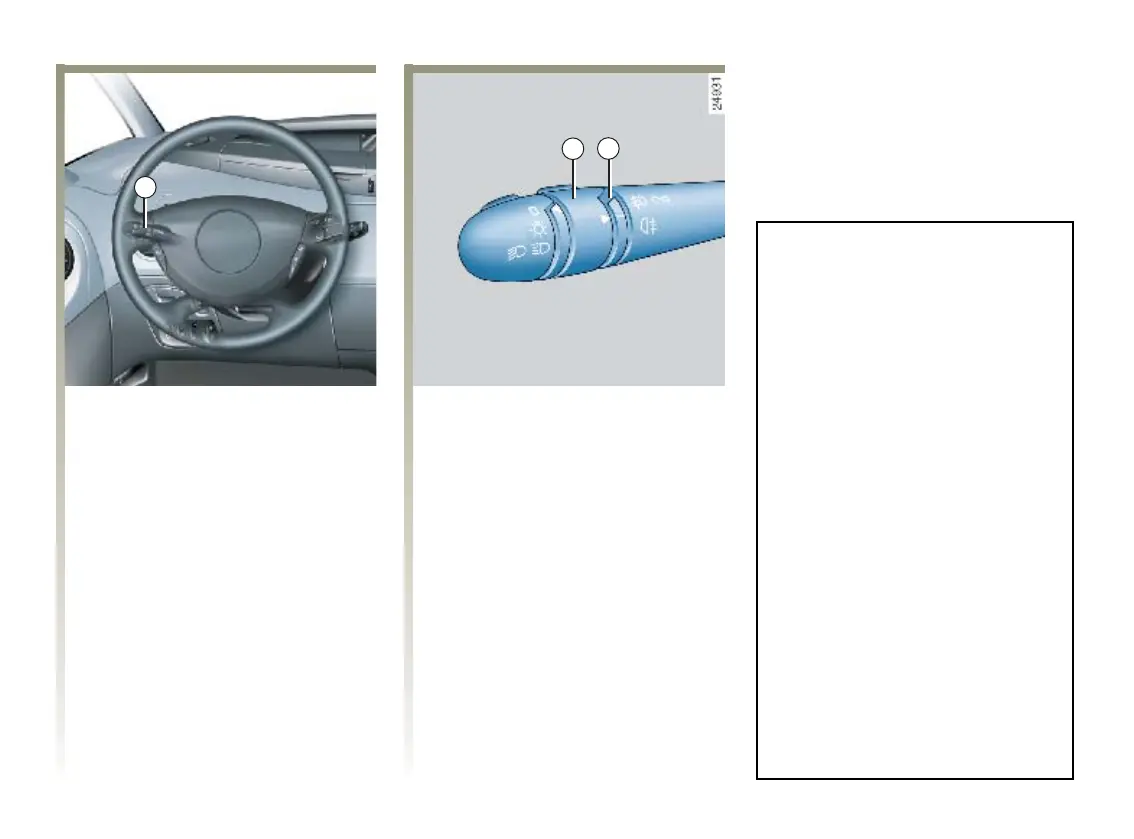
With the lights on, turn
centre ring 6 on the stalk until the
symbol faces mark 7.
An indicator light on the instrument
panel then lights up.
Rear fog lights
h
With the lights on, turn
centre ring 6 on the stalk until the
symbol faces mark 7.
An indicator light on the instrument
panel then lights up.
To avoid inconveniencing other
road users, remember to switch off
the rear fog light when it is no longer
needed.
The front and rear fog lights switch
off when the exterior lights are
switched off.
Special case
Using the front and/or rear fog lights
when automatic operation of dipped
beam headlights is activated.
Turning on the fog lights
It is necessary to select the front
dipped beam headlights position to
set central ring 6 in fog lights
position.
Turning off the fog lights
Bring central ring 6 back to
position 0 and turn the end of
stalk 1 from the dipped beam
headlights position to position 0
to return to automatic operation of
dipped beam headlights.
NU760_1_G1-ENG.qxp 27-Dec-05 18:37 Page 1.73 (Black/Process Black plate)













 To Next Page