operating faults ..........................................
(current page)
mileage before service ..............................
(current page)
additional tank capacity .............................
(current page)
maintenance:
mileage before service .........................
(current page)
clock
setting ..................................................
(current page)
tyre pressure..............................................
(current page)
1.151
ENG_UD82636_2
Ordinateur de bord : généralités (XFK - Renault)
TRIP COMPUTER: general information (3/3)
4
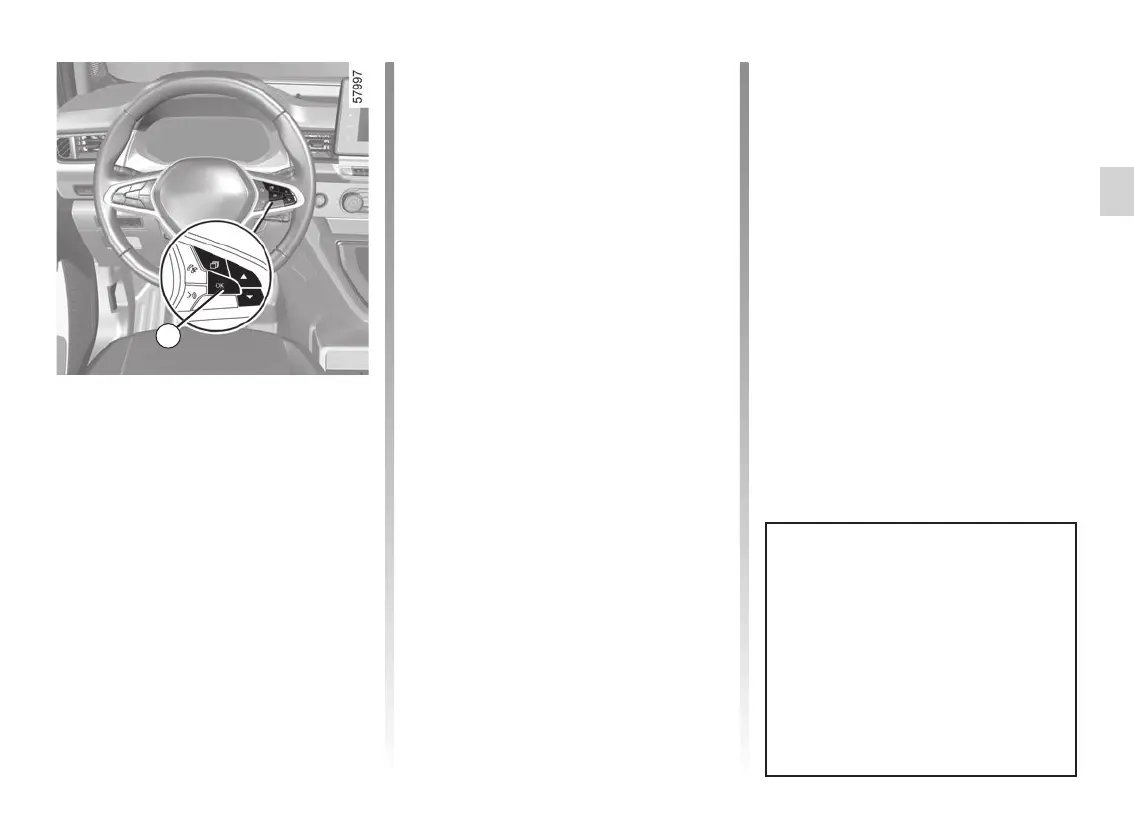
Resetting the journey
parameters (reset button)
With one of the trip parameters se-
lected as the display, press and hold
the 4 switch “OK” until the display
resets to zero.
Automatic resetting of the
journey parameters
Resetting occurs automatically when
the maximum value of any of the pa-
rameters is exceeded.
Reading energy consumption
values
Some vehicle equipment items con-
sume energy: the energy consumed
by the vehicle may therefore differ from
the energy consumed on the electric
counter.
Interpreting some of the
values displayed after
resetting
Average energy consumption and
speed are all the more stable and
meaningful the greater the distance
travelled since the last reset.
Resetting the estimated
range
After a full recharge of the traction bat-
tery, you can select two types of reset-
ting: manual or automatic.
Manual reset
Select one of the trip settings, press and
hold switch 4 OK to reset the range.
Automatic reset
The range is automatically reset at the
end of a full recharge of the traction
battery to a value calculated based on
the energy consumption since the last
reset.
Some on-board computer infor-
mation appears on the navigation
system display.
The trip settings mileage recorder
is reset simultaneously in the on-
board computer and the navigation
system.










 To Next Page