2.84
ENG_UD82616_2
Limiteur de vitesse (XFK - Renault)
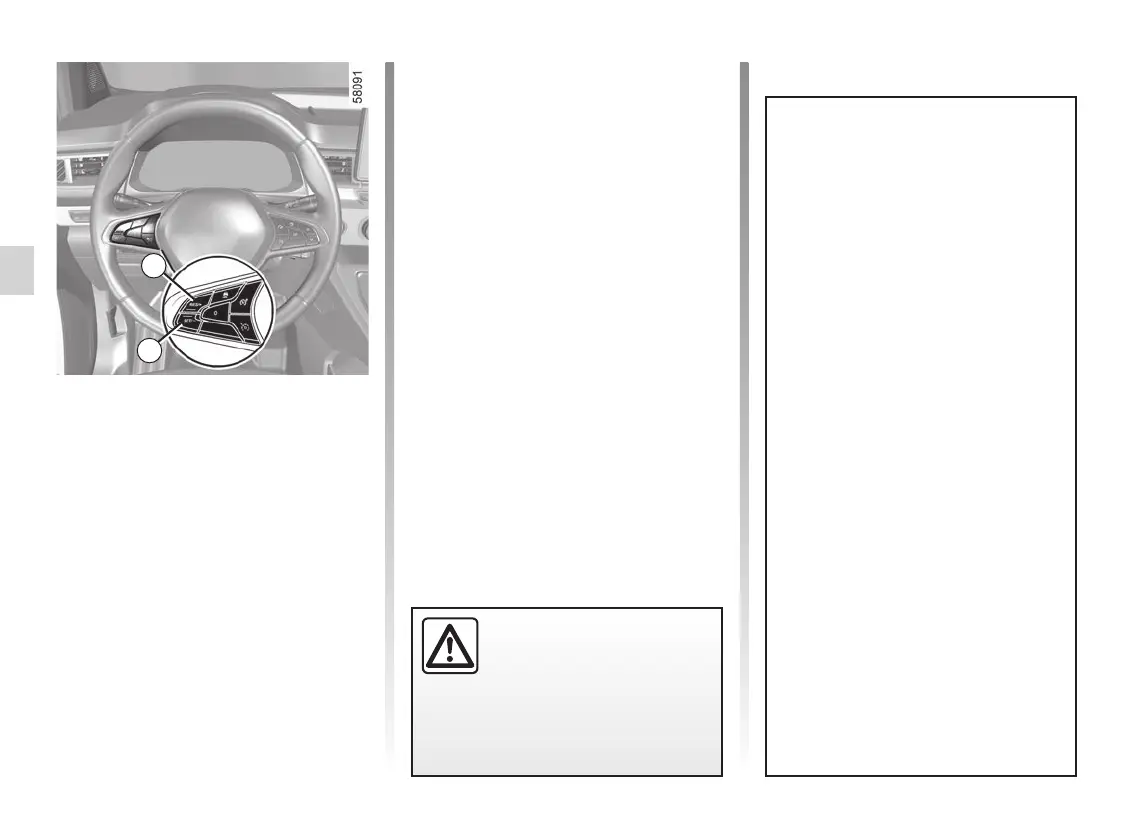
Varying the limit speed
The limit speed may be changed by
pressing repeatedly or holding down:
– switch 4 (RES/+) to increase speed;
– switch 3 (SET/-) to reduce speed.
Exceeding the limit speed
It is possible to exceed the limit speed
at any time. To do this: press the accel-
erator pedal firmly and fully (beyond
the resistance point).
While the speed is being exceeded, the
speed limiter flashes red on the instru-
ment panel. Then, release the accelera-
tor pedal: the speed limiter function will
return as soon as you reach a speed
lower than the memorised speed.
Limited speed cannot be maintained
If driving up or down a steep gradient,
the system is unable to maintain the
limited speed: the stored speed flashes
red on the instrument panel and a beep
sounds at regular intervals to inform
you.
If the speed limiter is not
available (after several at-
tempts to activate), contact
an approved dealer.
SPEED LIMITER (3/4)
3
4
Temporarily not available
The system controls accelera-
tion and deceleration of your vehi-
cle using the engine and braking
system. The system activates the
brakes in order to maintain the set
speed, the system applies limited
braking. In the event of a steep de-
scent, for example in a mountainous
area, you must select a lower gear
to benefit from engine braking.
To reduce the load imposed on the
braking system and to prevent the
brakes from overheating, the speed
limiter function may be temporar-
ily interrupted and the message
“Check Speed Limiter” may appear.
The message disappears when the
function becomes available again.
If the message remains, contact an
approved dealer.










 To Next Page