TRIP COMPUTER
2
Getting to know your vehicle - 127
Displays and indicators
Instrument panel
lightsupwhenthedriver’sdooris
opened.Insomecases,theappear-
ance of a warning light is accompanied
by a message.
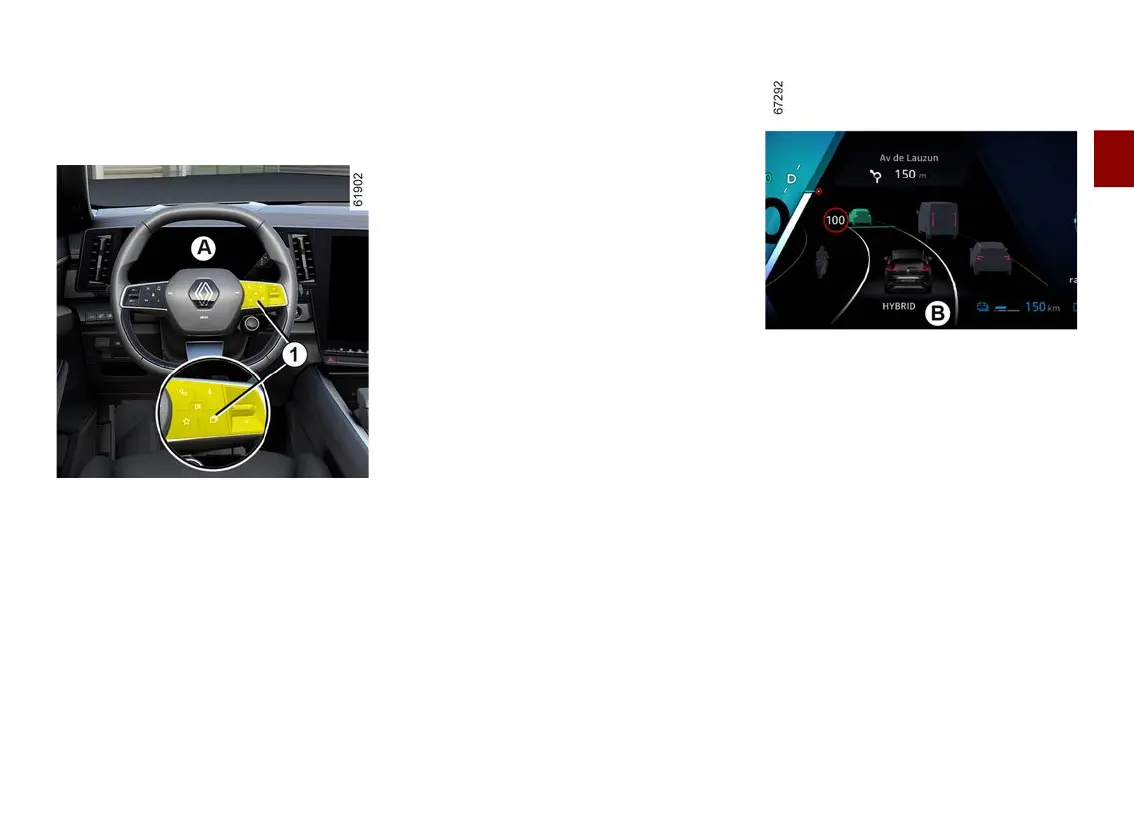
Depending on the vehicle, you can
customise your instrument panel
A
with the content and colours of your
choice.
Selection of views
Depending on the vehicle, several
views are available on the instrument
panel. To select a view press as many
times as necessary on the control
1
to
scroll through the various views on the
instrument panel
A
until you reach the
desired view.
All of the available views display the
following essential information on the
instrument panel:
– speedometer;
– theinformationontheactivateddri-
ving aids;
– information area.
The "Driving aids" view displays the
essential information on the instrument
panel with that of the active driving
aids in full screen.
The "Classic" viewdisplaysthees-
sential information on the instrument
panel and, depending on the vehicle,
the power meter.
The "Navigation" view displays the
essential information and the road map
duplicated from the multimedia system
on the entire instrument panel.
Realistic view
B
(depending on the vehicle)
View
B
displaystheessentialinforma-
tion on the instrument panel, along
with your vehicle and its environment
(lanes, surrounding vehicles moving in
the same direction, etc.).
Note:thesystemonlyrecognisesve-
hicles in the car, lorry and motorbike
categories.
The "Minimal" view displays only the
essentialinformationonthedash-
board.



 To Next Page