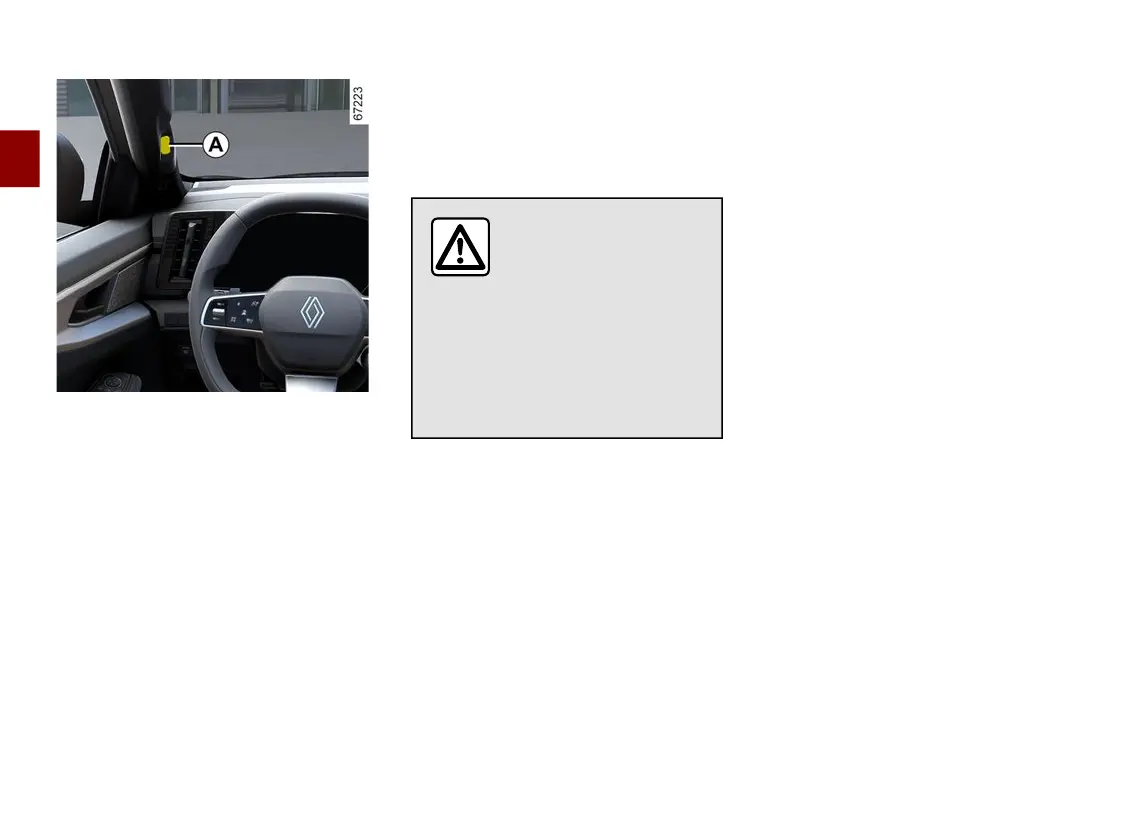
FACIAL RECOGNITION
2
72 - Getting to know your vehicle
Aftersavingyourprofilefromthemulti-
media system, it is possible to recall
thedriver'susersettings(drivingposi-
tion, etc.) using the camera
A
when
entering the vehicle.
Formoreinformationonstoringapro-
fileusingfacialrecognition,pleasere-
fer to the multimedia user manual.
The system is activated when the
driver's door is closed. As soon as it
detects a registered profile related to
thefacialrecognition,aprofileunlock-
ingcodeisdisplayedonthemultime-
dia system.
Enter your code to activate the pre-
stored settings (driving position, phone
connection, calendar, etc.).
If the face image is not recognised by
thecameraduringrecognition,thesys-
tem suggests the last profile used.
Note: make sure that the camera is
not obscured (by dirt, mud, etc.).
Whenrecallingaposi-
tion (memorisation,
changing profile), make
sure that no one is near
the moving parts (in particular, in
the rear seats).
For safety reasons, carry out any
adjustments when the vehicle is
stationary.



 To Next Page