PARKING AIDS
3
268 - Driving
Parking distance control
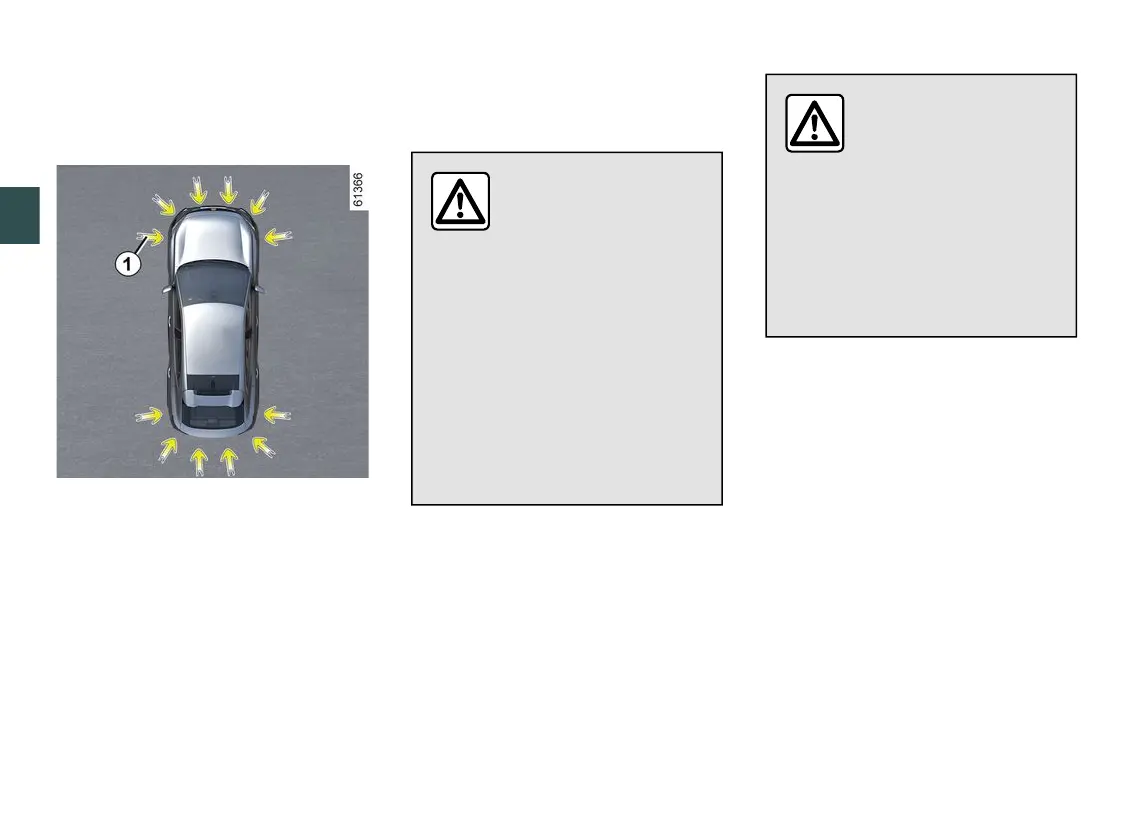
Operating principle
Ultrasonicsensors,indicatedbyar-
rows
1
,arefittedinthebumperstode-
tect obstacles near the vehicle.
Thefunctionalertsthedriverviaaudi-
ble signals and a display representing
theareawheretheobstaclewasde-
tected.
Dependingontheequipment,thesys-
tem detects obstacles behind, in front
and to the sides of the vehicle.
TheParkAssistsystemisonlyactivat-
ed when the vehicle is driven at a
speed below approximately 6 mph (10
km/h).
Thefunctiondoesnottakeintoac-
count towing or carrying systems that
are not recognised by the system.
Thisfunctionisanaddi-
tional driving aid.
Under no circumstances
should it replace the
driver's care or responsibility
whilst reversing.
The driver should always be
ready for sudden incidents while
driving: always ensure that there
arenosmall,narrowmovingob-
stacles (such as a child, animal,
pushchair, bicycle, stone, post,
etc.)intheblindspotwhenma-
noeuvring.
Animpacttotheunder-
side of the vehicle while
manoeuvring(e.g.strik-
ing a post, raised kerb or
other street furniture) may result
indamagetothevehicle(e.g.de-
formation of an axle).
To avoid any risk of accident,
have your vehicle checked by an
approved dealer.
Location of the ultrasonic sensors
1
Ensurethattheultrasonicsensorsindi-
cated by the arrows
1
arenotob-
scured(bydirt,mud,snow,abadlyfit-
ted/attachednumberplate,etc.),im-
pacted, modified (including paintwork)
or obstructed by any accessory fitted
to the rear and/or, depending on the
vehicle,tothefrontorsidesofyourve-
hicle.
Note: on vehicles equipped with the
"360° camera" function 🡺282, the
analysis of the vehicle surroundings
(zones
A
and
B
) is not displayed in
the "Bird's eye view" or "Side view"
mode.



 To Next Page