ADDITIONAL DRIVING AID FUNCTIONS
3
238 - Driving
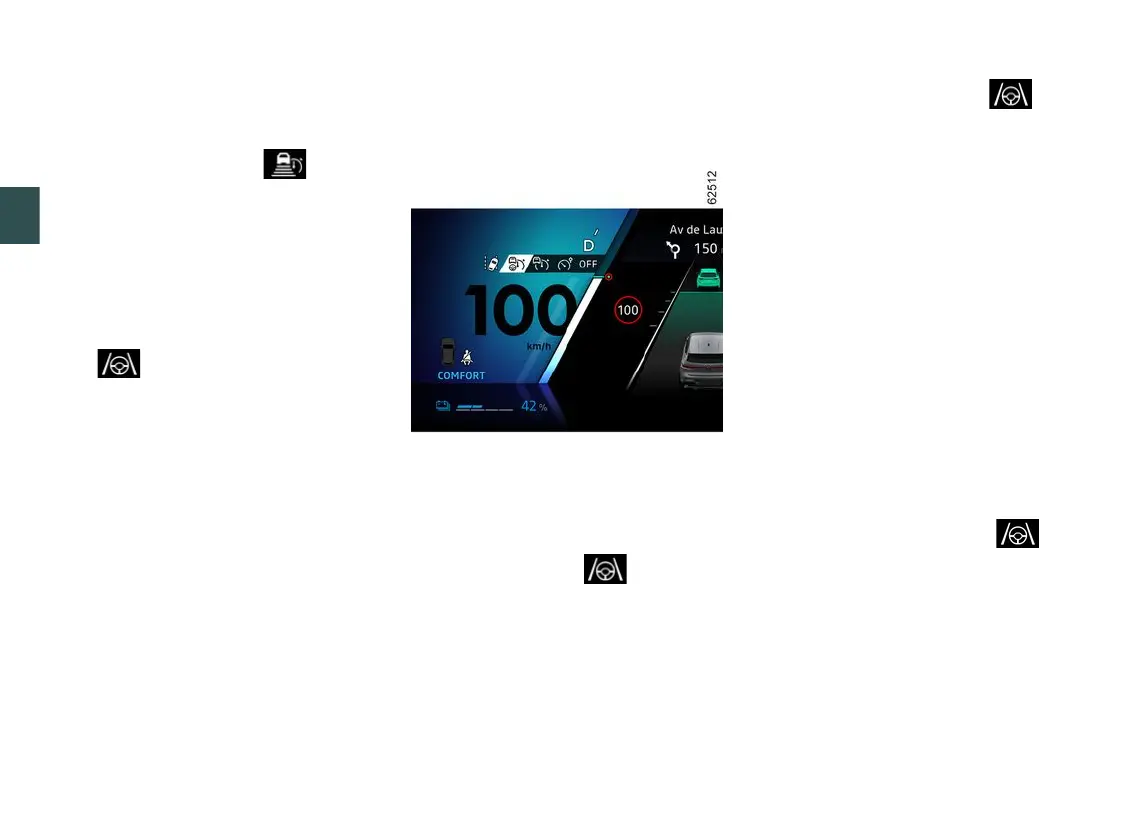
Displays on the instrument panel
17.
StopandGoadaptivecruisecon-
trol function warning light .
18.
Stored cruising speed.
19.
Vehicle in front.
20.
Stored safe distance
21.
Left-handandright-handlineindi-
cators
22.
"Lane Centring" function warning
light .
Steering wheel
23
The driver must always keep their
hands on the steering wheel.
If the driver turns the steering wheel
withenoughforce,the"LaneCentring"
function is interrupted to enable the
driver to regain control of the vehicle.
Under certain conditions (sharp bends,
etc.) a vibration may be triggered on
the steering wheel to warn the driver
thattheymustregaincontroloftheve-
hicle.
Ifthedriverdoesnothandlethesteer-
ing wheel (no hands are detected) the
"Lane Centring" function is deactivated
after several alerts.
Activating/deactivating the "Active
driver assist" function
Activating the function
To activate the function, press the
switch
9
as many times as necessary
to activate it.
The warning light
22
isdis-
played in grey on the instrument panel.
Then press the steering wheel control
13
upwards (SET/+) or downwards
(SET/-).
The "Active driver assist", consisting of
the Adaptive cruise control Stop and
Go and the "Lane Centring" function, is
then activated.
The green warning light
22
and
theleft-handandright-handlineindi-
cators
21
aredisplayedontheinstru-
ment panel to confirm that the function
isinoperationanddirectingyourvehi-
cle towards the centre of the lane.
You can interrupt the "Lane Centring"
functionatanytimebyforcefullyturn-
ing the steering wheel. As soon as you
stop turning the steering wheel, the
"Lane Centring" function is reactivated.
Note: you must keep your hands on
the steering wheel when using the
"LaneCentring"function.Undernocir-
cumstances should you take your
hands off the steering wheel.
Deactivating the function
Press the switch
9
. Deactivation of the
functionisconfirmedbythedisappear-
ance of the warning light
22
and
theright-handandleft-handlineindi-
cators
21
from the instrument panel.
Note:ifthe"Lanedeparturepreven-
tion" function was previously activated
andtheconditionsallow,itwillauto-
matically reactivate.
Adjusting the position in the lane
(depending on the vehicle)



 To Next Page