PASSENGER COMPARTMENT EQUIPMENT
4
Your comfort - 319
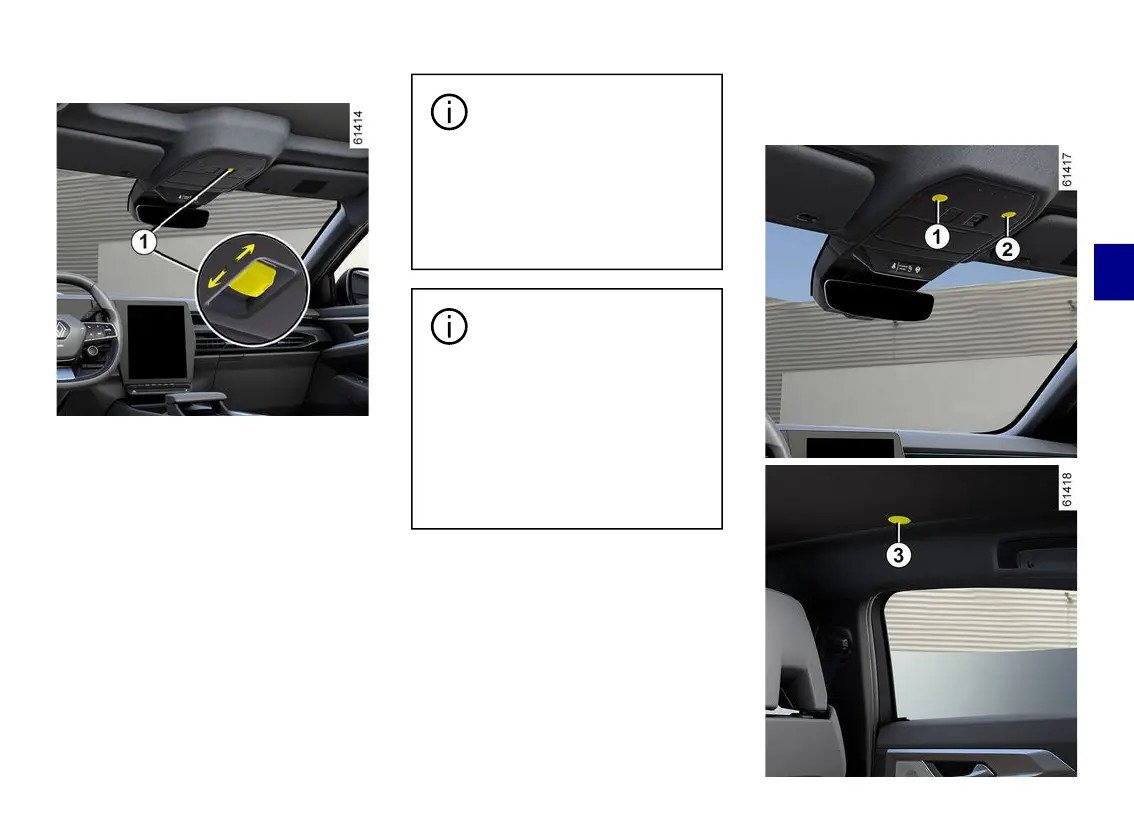
Operation
To make the entire roof opaque or
transparent, press and hold switch
1
.
To change one of the sections (front
or rear) to opaque or transparent
mode, press briefly on switch
1
as
many as times as required.
Note: before pressing switch
1
again,
youmustwaitforthepreviouslyselect-
ed action to be completed.
Depending on the vehicle, it is also
possible to operate the vehicle by
voice command. Please refer to the
multimediainstructionsformoreinfor-
mation.
Theroofbecomescom-
pletely opaque after the
doorsarelockedortheve-
hicle goes on standby (with the
doors unlocked and the engine
off, the instrument panel and/or
multimedia screen switch off).
When the instrument panel
and multimedia screen are
switchedon(welcomese-
quence) or when the engine start/
stop button is pressed, the roof
adopts the setting stored before
thevehiclewaslastputonstand-
by or when the doors were
locked.
Limits of operation
In very cold weather conditions, the
panoramicroofmayhavelimitedoper-
ation (reduced movement) or may not
work at all.
Interior lighting
Map reading lights



 To Next Page