FRONT SEATS
2
74 - Getting to know your vehicle
Move lever
2
asmanytimesasneces-
sary upwards or downwards.
To tilt the seatback
Lift handle
3
and tilt the seatback to
thedesiredposition.Releasethehan-
dle at the desired position and make
sure that it is locked.
For safety reasons, carry
out any adjustments
whilethevehicleissta-
tionary.
Wewouldadviseyounottore-
clinetheseatbackstoofartoen-
sure that the effectiveness of the
seat belts is not reduced.
Nothing should be placed on the
floor (area in front of the driver) as
these objects may slide under the
pedalsduringsuddenbrakingma-
noeuvres, thus obstructing their
use.
Heated seats
(depending on the vehicle)
With the ignition on, you can activate
the heated seats via the multimedia
screen:
– an initial press on the pictogram
of the desired seat activates the
heating system at maximum power.
Three switch-integrated warning lights
are illuminated;
– asecondpressdecreasestheheat-
ing to medium power. Two integrated
warning lights are illuminated;
– a third press decreases the heating
to minimum power. One integrated
warning light is illuminated;
– a fourth press turns the heating off.
In order to avoid unnecessary energy
consumption, the heated passenger
seat can be deactivated automatically
in the absence of an occupant.
Operating faults
When an operating fault is detected,
the warning lights on the pictogram for
the seat concerned will flash.
Consult an approved dealer.
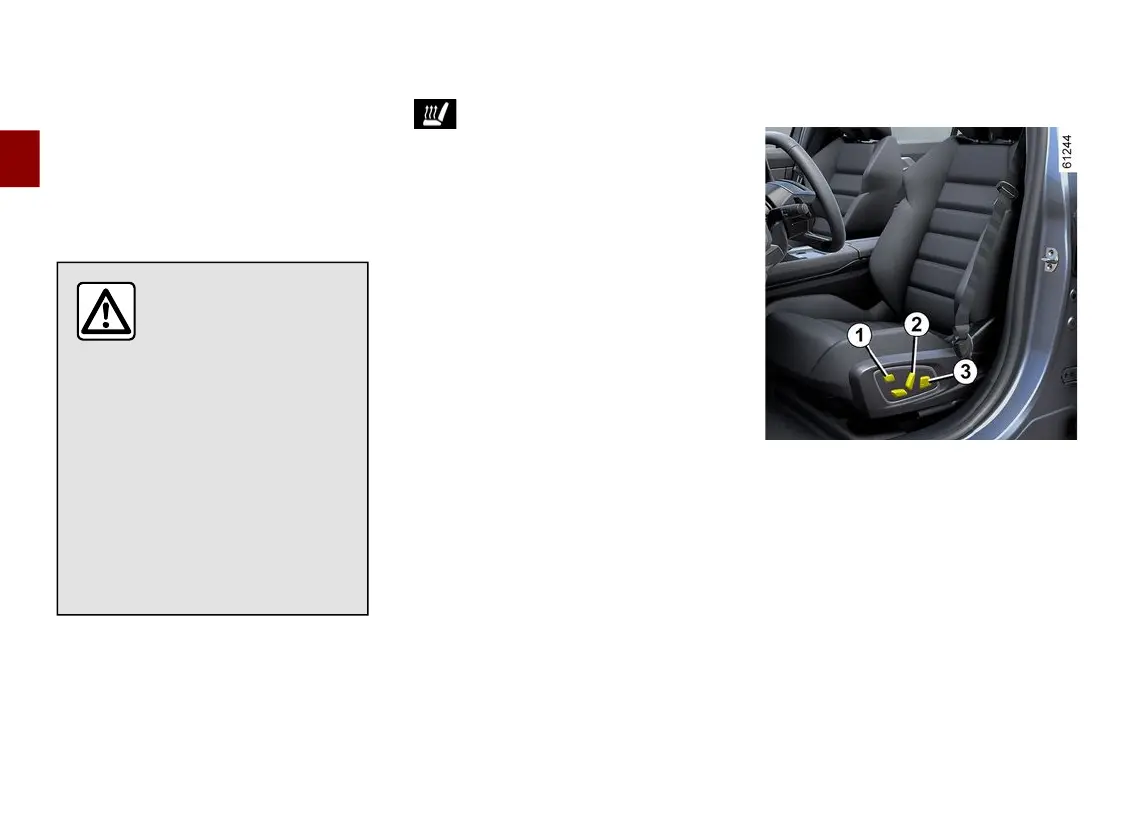
Frontseatswithelectriccon-
trols
On equipped vehicles, the switch
1
can be used to access the "Seats"
menu on the multimedia screen.
Adjusting the seatback
To tilt the seatback, move the top of
switch
2
forwards or backwards.
Adjusting the lumbar support on
thedriver’sseat
Move the switch
3
forwards,back-
wards, upwards or downwards.



 To Next Page