32
d) Removing the lament
• Ensure that the nozzle temperature is not higher than 170 °C.
Do not touch the nozzle – burn hazard!
2
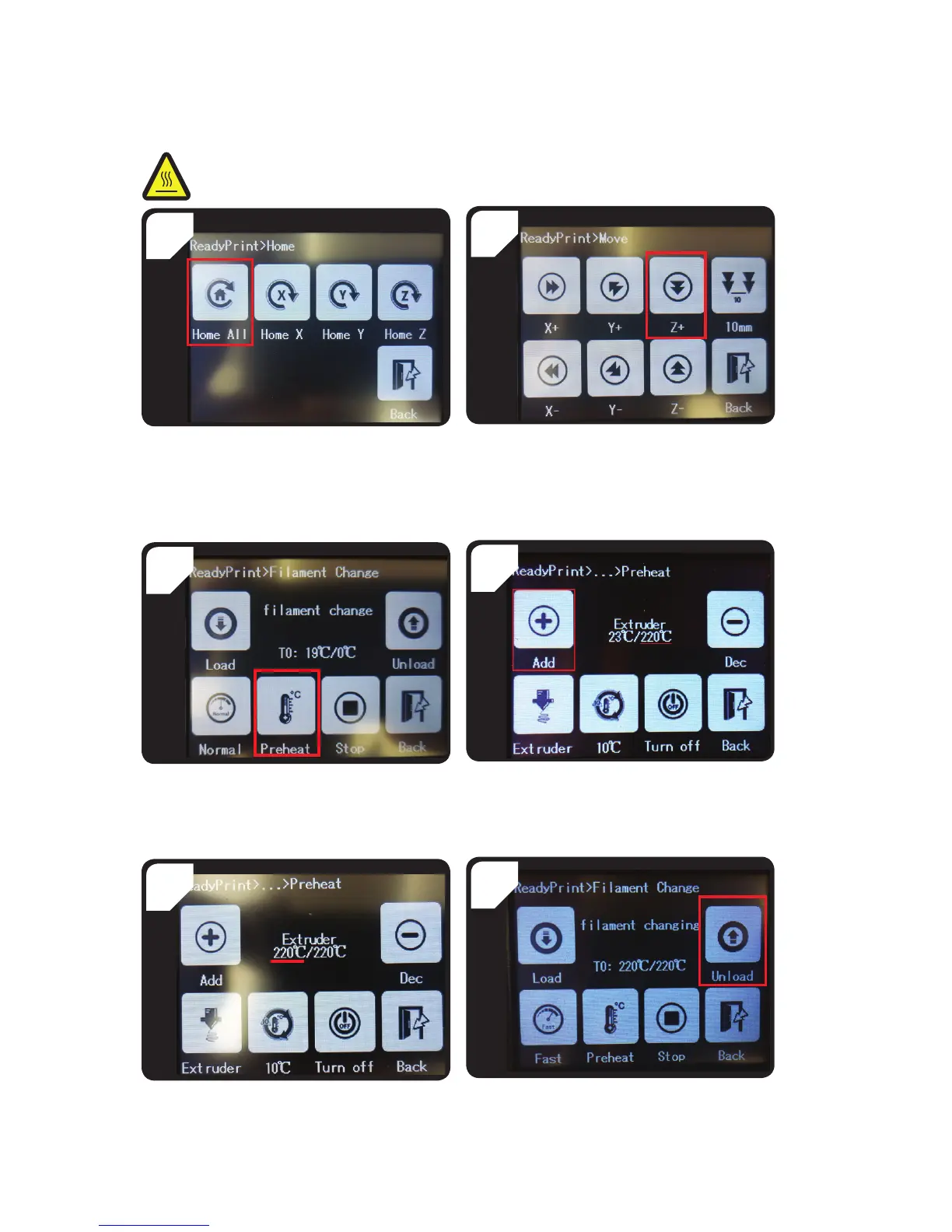
• In the < ReadyPrint > menu, select < Move > and
then press < Z+ > twice to increase the distance
between the nozzle and the print bed.
• Go to the < Home > menu and select < Home
All >. The print bed and extruder will return to
the initial position.
1
4
• Press < Add > several times until the target
temperature of 220 °C is reached.
• Go back to the < ReadyPrint > menu. Select <
Filament >, and then select < Preheat >.
3
6
• Go back to the < Filament Change > menu, and
then select < Unload >.
• Wait until the actual temperature (in this case
220 °C) has reached the target temperature.
5



 To Next Page