44
c) Setting up the software (Mac OS)
• Ensure that you set up the printer prole in the software before connecting the printer to your computer.
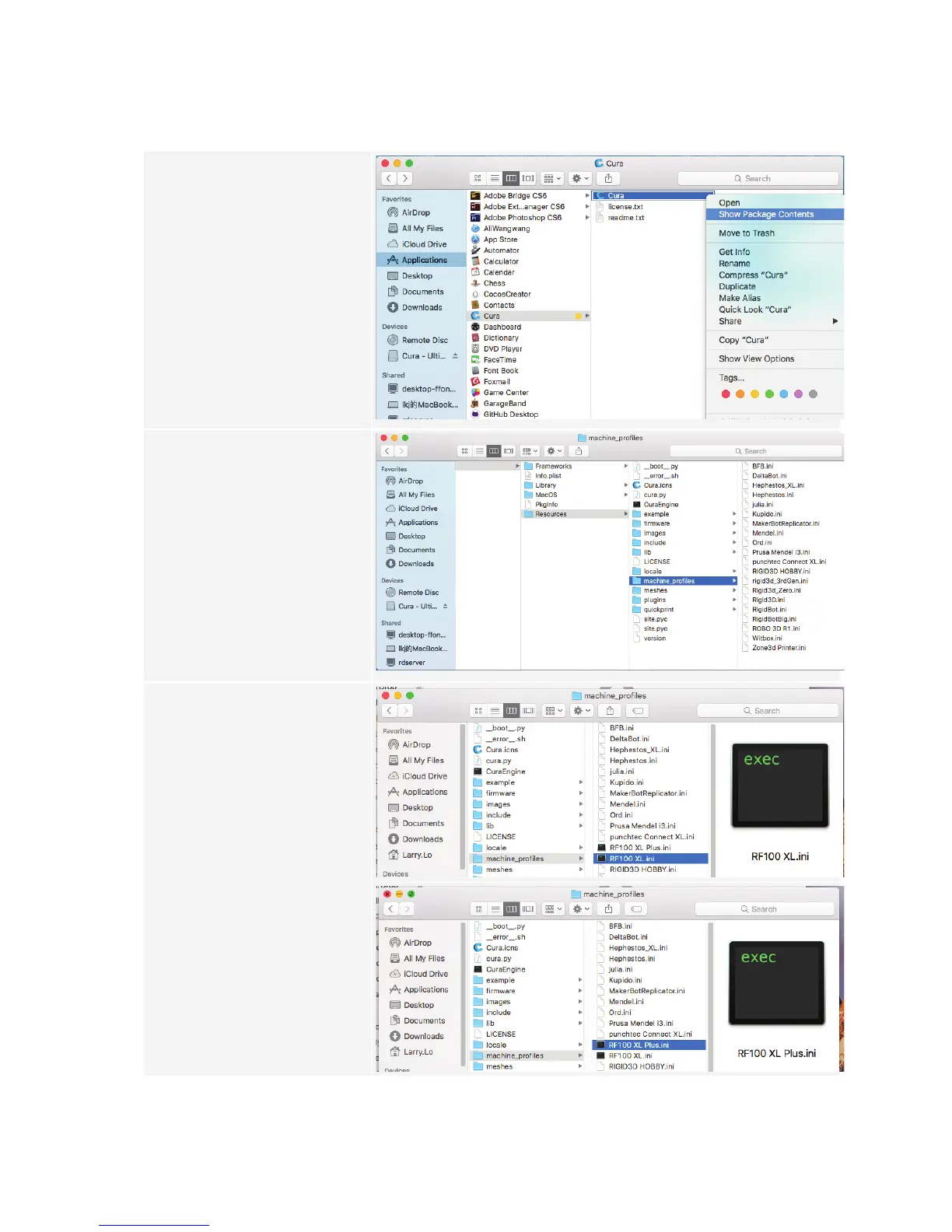
1 When the installation is complete,
right click on the "Cura" symbol in
the "Applications" folder. Select
"Show Package Contents".
2 Search for "Resources/
machine_proles".
3 Select the prole le ("RF100
XL.ini" or "RF100 XL plus.ini")
on the SD card and copy it to the
"machine_proles" folder.



 To Next Page