33
8
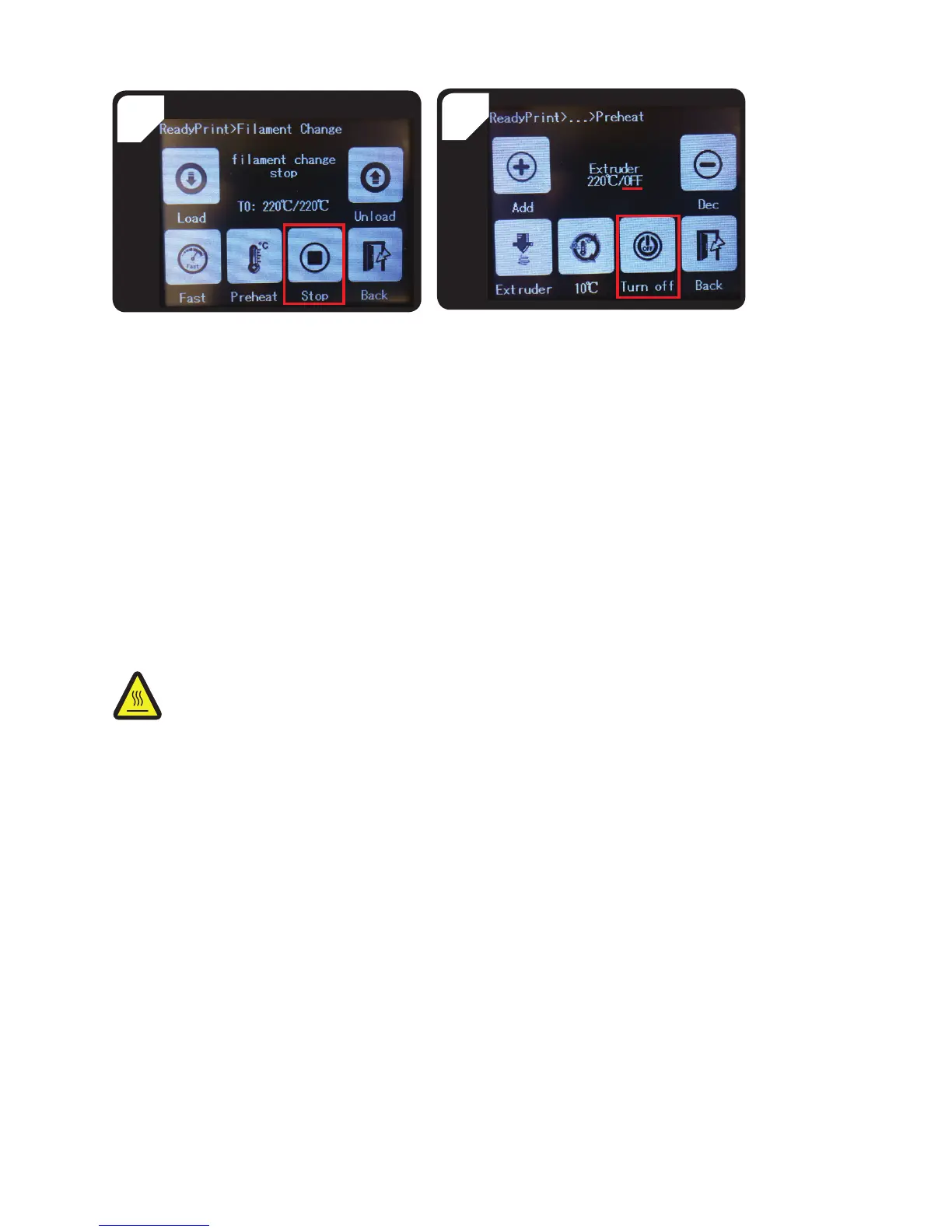
• Go back to the < Preheat > menu and select
< Turn off >.
• The extruder will stop heating. < OFF > will be
displayed in place of the target temperature.
• Use the tweezers to remove lament residue from
the nozzle.
• If the lament can be pulled out of the top of the
extruder, select < Stop >.
• Carefully remove the lament and lament tube
from the top of the extruder.
7
e) Changing/replacing the lament
Change the lament when you want to use another colour or material.
Replace the lament when it is empty.
Before changing or replacing the lament, the extruder must be heated to ensure that the old lament can be removed
from the extruder without any residue.
Do not touch the nozzle – burn hazard!
• Remove the lament.
• Remove the lament spool from the spool holder and place the new lament on the spool holder.
• Align the lament.
• Load the lament.
• Extrude the new lament until the residue from the old lament has been completely removed from the extruder.
This can be determined by the change in colour.
• Remove the residue with the tweezers
f) Installing the "Cura" software (optional)
Refer to “16. Printing with the “Cura” software” on page 39 for detailed instructions.



 To Next Page