35
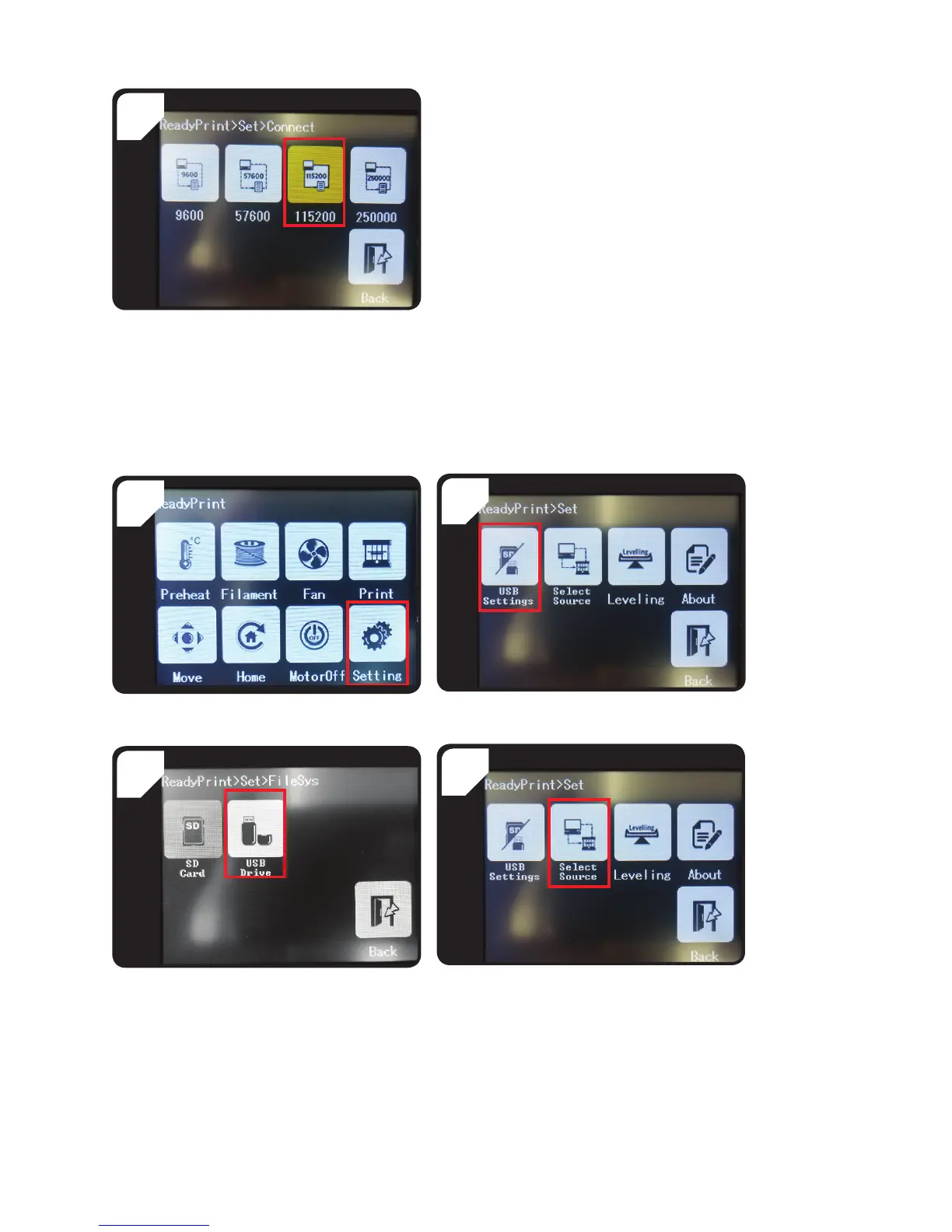
• Select < 115200 > to control the 3D printer via
the control panel.
5
b) Printing from a USB stick
By default, the printing source is set to the SD card. If you want to print from a USB stick, follow the steps below.
2
• Select < USB Settings >.• Go to the < ReadyPrint > menu and select
< Setting >.
1
4
• Go back to the < Set > menu and select < Select
Source >.
• Select < USB Drive > as the print source.
3



 To Next Page