- 13 -
You are now communicating directly to the device and can proceed to Section 4
If you cannot access the device, press the reset pinhole on the back of the receiver (reference
Figure
13
) and wait for the lights to stabilize, and repeat by selecting the Search button again.
4.6.4.2 Mac PC Users
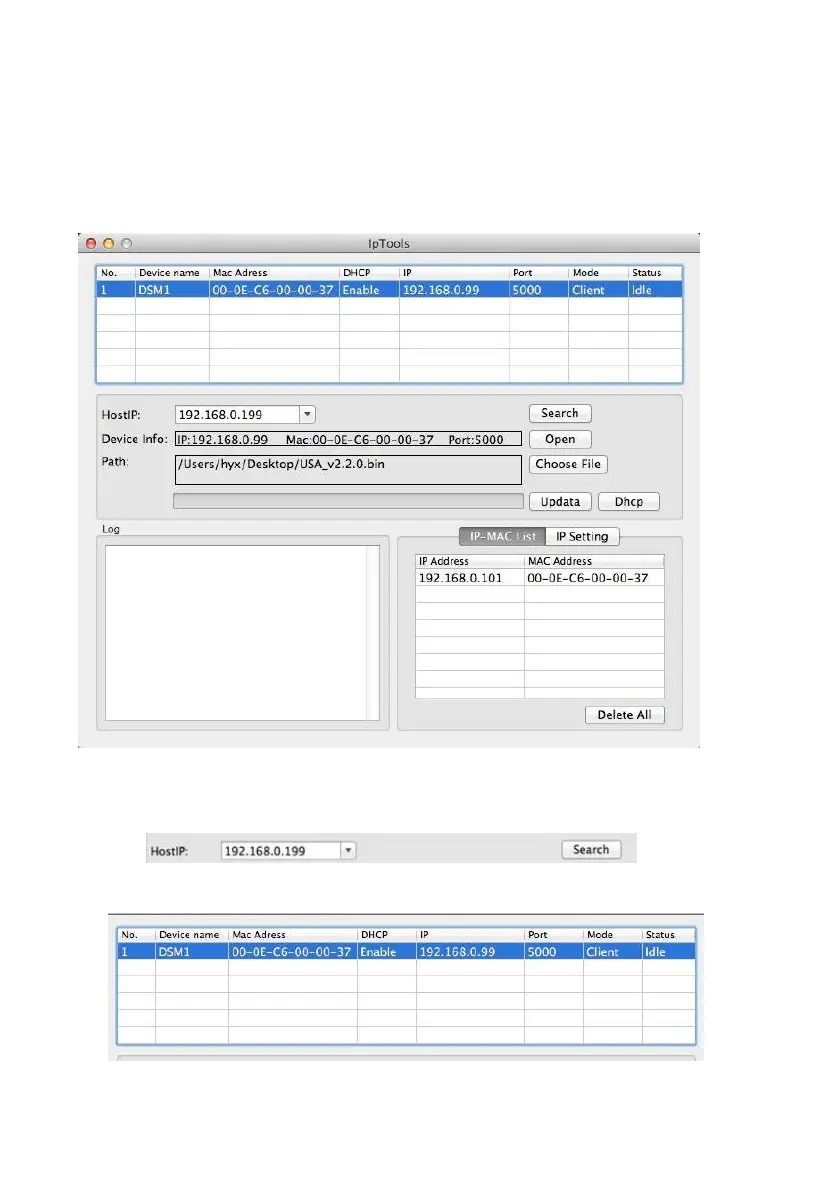
Launch the IP tool. The HostIP (your computers IP address) will be displayed.
Figure 19
Click the Search button (Figure 20) to find the device on your local area network (Figure 21).
Figure 20
Figure 21
.6.5.



 To Next Page