- 14 -
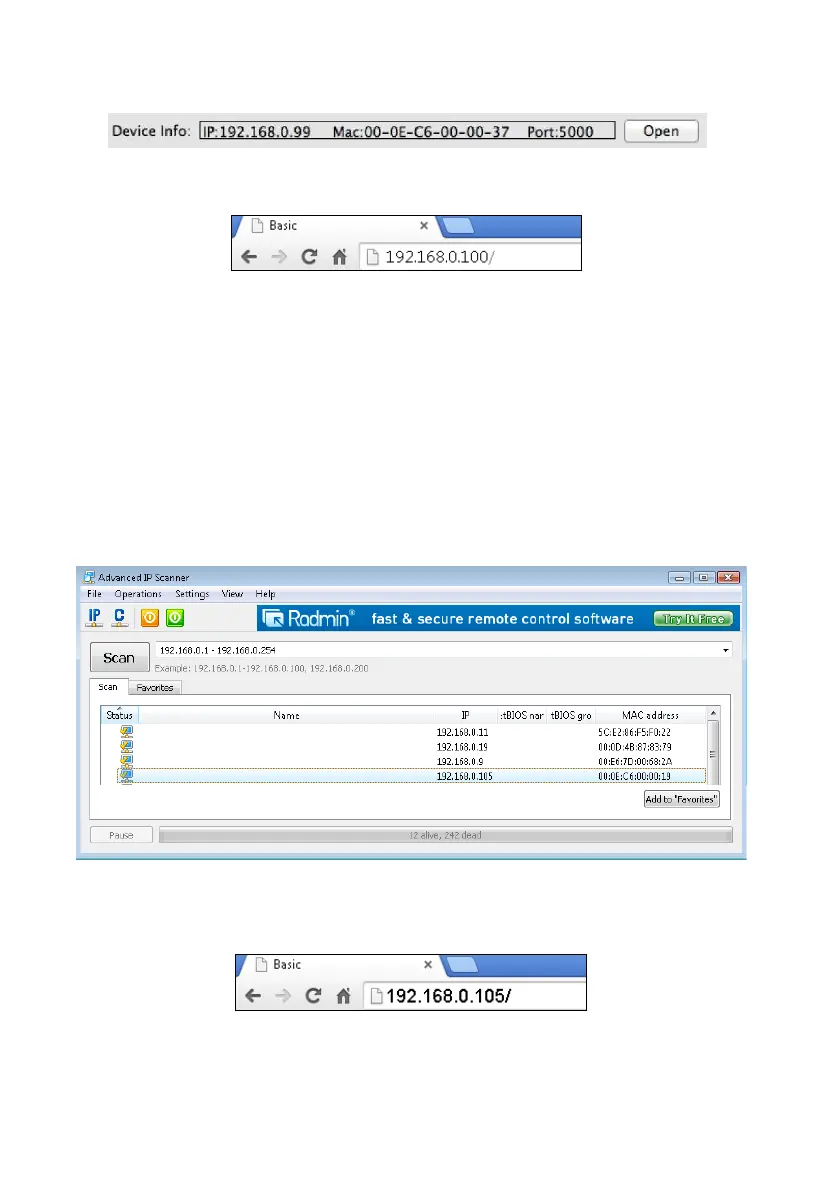
Select the device on your network and click the Open button(Figure 22) to view within your browser.
Alternately, you can type the IP address in your web browser address bar.(example, Figure 23)
Figure 22
Figure 23
4.6.4.3 Linux Users
If you use Linux operating system, download any commercially available IP scan tool, such as
AngryIP Scanner and find the MAC address of the device. The MAC address is a unique identifier
for internet enabled devices.
The MAC address will be printed on the bottom of the ObseverIP receiver. An example MAC
address is 00:0E:C6:00:00:19.
Figure 24 shows typical scan results. Locate the IP address of the device by cross referencing the
Mac address. In the example below, the IP address is 192.168.0.105.
Figure 24
Type the IP address you located from the IP Scan Tool into your web browser (example, Figure ):
Figure 25
You are now communicating directly to the device and can proceed to Section 0.
25



 To Next Page