EN 121
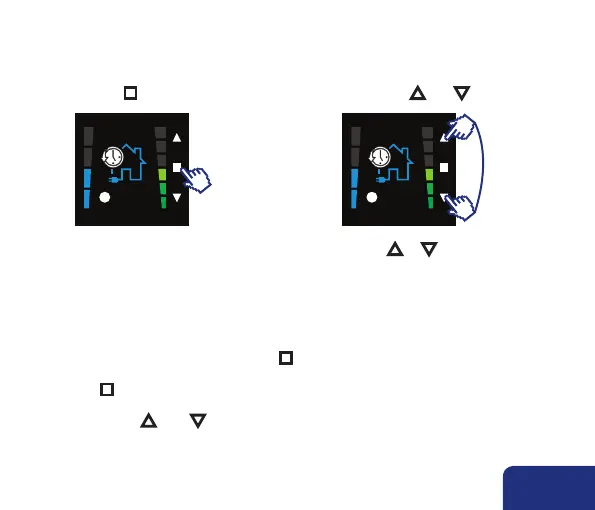
• You can access the USER MENU by:
pushing n for 3 sec. shortly pushing ▲ and ▼
• You can switch between different USER MENU’s by pressing ▲ or ▼.
You can choose out of the following USER MENU’s:
PROGRAM (see 7.3.1): setting the day, week or weekend program; up to 8 program points
(xx:xx) a day. You can select between L1-L4.
CLOCK (see 7.3.2): setting the time (24h) and date
DISPLAY (see 7.3.3): setting the clarity of the display in active and stand-by mode + setting
the menu language.
• Select a USER MENU by shortly pressing n.
• In order to leave the USER MENU:
– press n for 3 seconds
or
– shortly press ▲ AND ▼.
You’ll go back to the main control menu.
11:38
1
11:38
1
7.3 • Settings
or



 To Next Page