EN 127
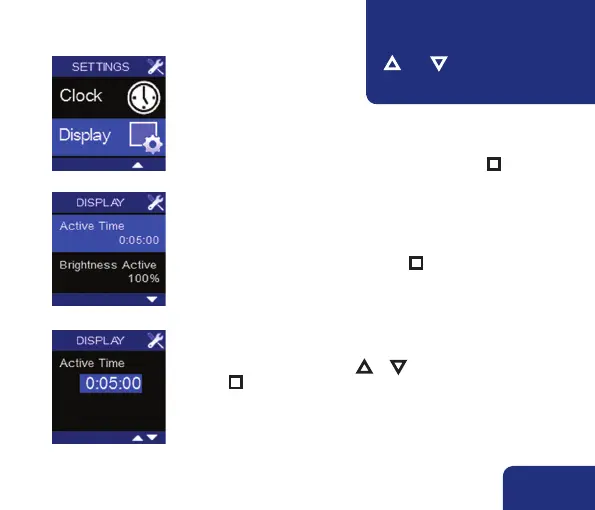
• The settings for the display itself can be accessed via USER
MENU – DISPLAY.
• Select USER MENU – DISPLAY and shortly press n .
You can enter a value using ▲ or ▼.
Press n to save the selec ted time lapse. The display will never
enter the stand-by mode when Active Time is set to 0:00:00.
• Active time now lights up.
This is the time after which the display goes into stand-
by. Default this is set at 5 minutes. The RENSON
®
logo is
portrayed in stand-by mode. Press n to change this time
lapse.
➋
➌
7.3.3 • Display setting
➊
You can return to the previous
menu by simultaneously pressing
▲ AND ▼. Any made modifica-
tions will not be saved.
!



 To Next Page