EN 135
➊
➋
➌
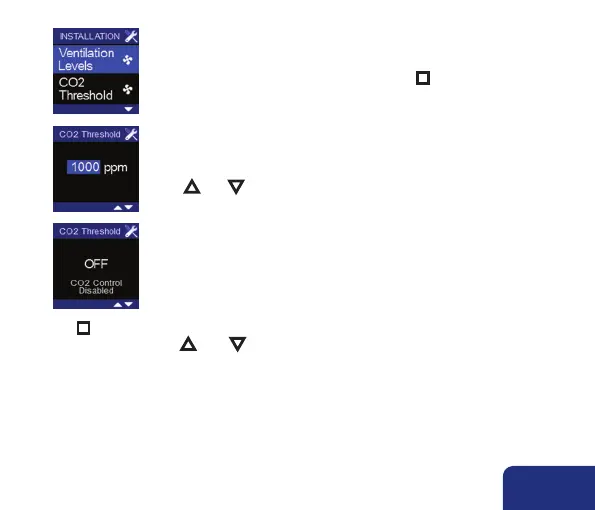
• Access the INSTALLER MENU (see explanation in section 8) and
select CO
2
THRESHOLD and shortly press n .
• The threshold value for the CO
2
concentration lights up.
You can set a value between 450 ppm and 2000 ppm by using
▲ and ▼ .
• When you go beyond 2000 ppm, the screen will indicate that the
CO
2
function is cancelled (applicable to secondary controls).
• Press n to confirm. You’ll go back to the INSTALLER MENU. When the screen is left by
simultaneously pressing ▲ AND ▼, any made changes are not saved.
Remark:
If multiple TouchDisplays are connected with the same ventilator unit the CO
2
threshold needs to be configured for the main control (kitchen/living room). The CO
2
threshold needs to be deactivated on the secondary control(s).



 To Next Page