17
Step 4:
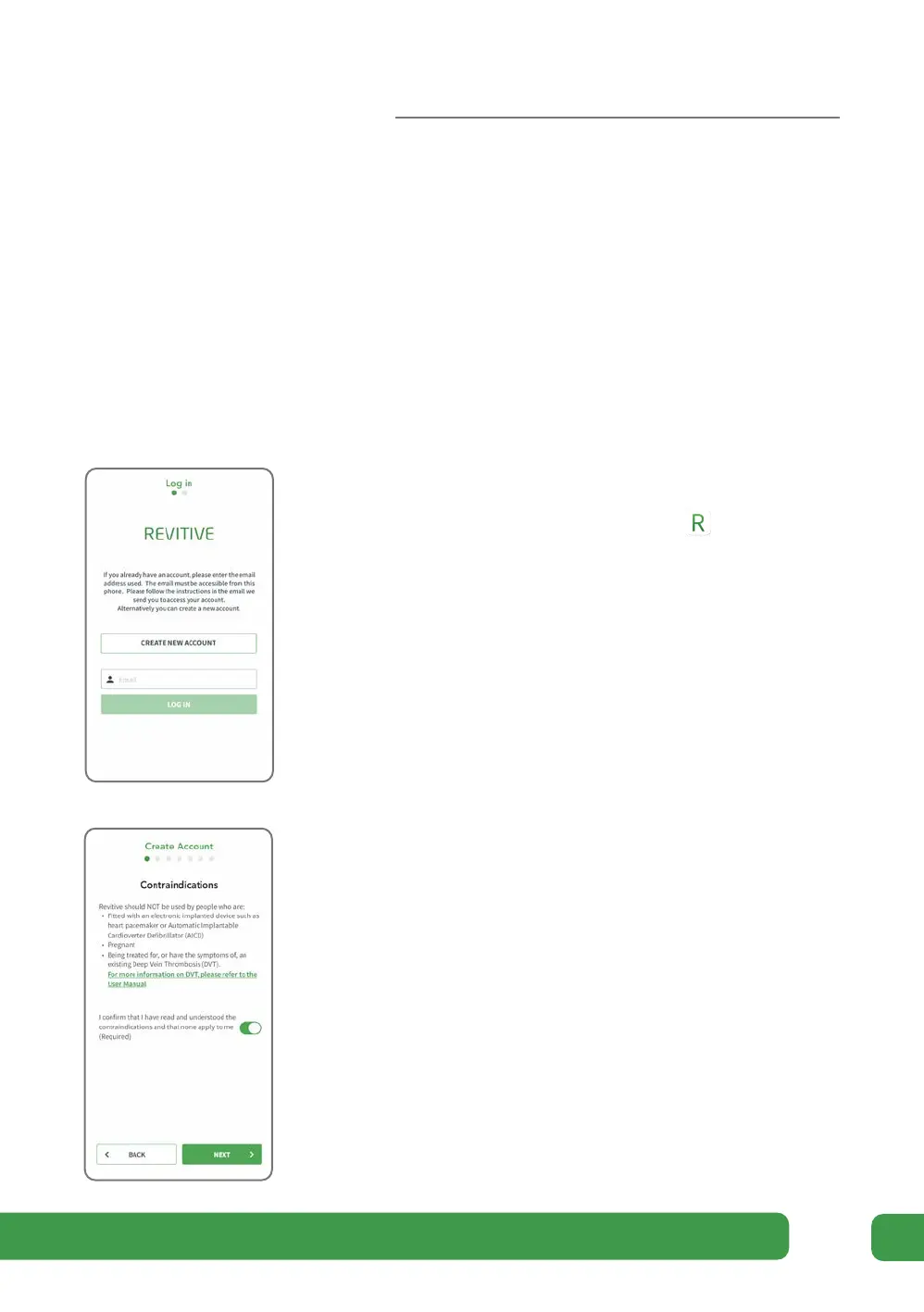
Create a Revitive account
You will need to create a Revitive account in order to use the app. This is required to
secure your data and provide the appropriate therapies and guidance.
To keep your personal information safe we recommended that you keep your phone
up to date with the latest soware from your phone manufacturer, and use identity
confirmation like a PIN or fingerprint to secure your phone.
a Check your phone is connected to the internet
b Start the Revitive app by tapping the
icon
on your phone.
c Note that for iOS, the phone may ask if the
Revitive app can use Bluetooth. Please tap “Yes”
d Tap CREATE NEW ACCOUNT at the bottom of the
screen.
e Read and follow the instruction on the
Contraindications screen.
Tick the box to confirm none of these apply
to you.
If any of these apply to you, please do not use
the device.
Tap NEXT.
Getting started



 To Next Page