25
Introducing the Controller Screen
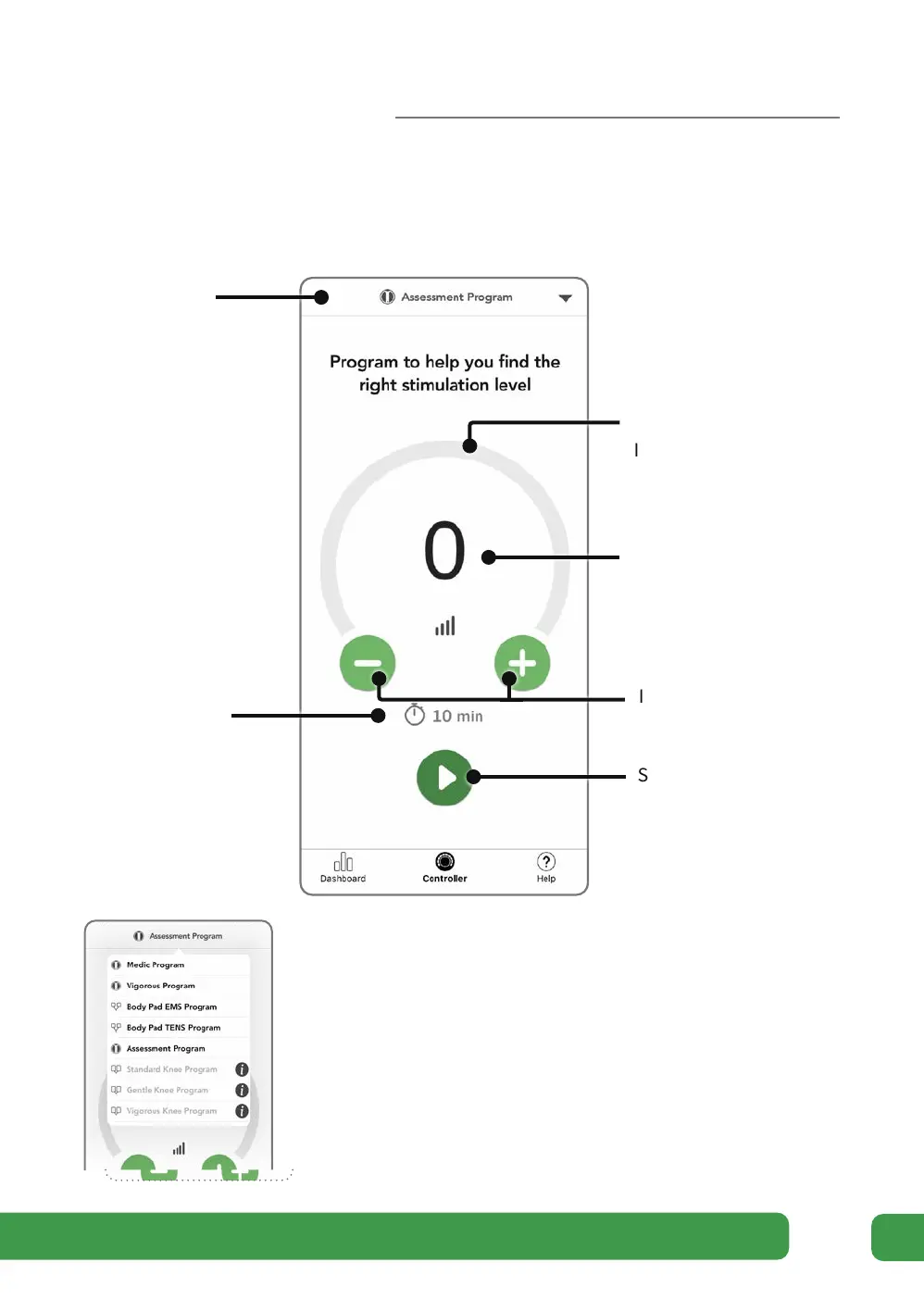
Program selection
The Programs are automatically selected as part of your
suggested Therapy Plan. The program name is always
displayed at the top of the Controller screen.
You can manually choose your Program by tapping the
Program name when no stimulation is running.
Program
name
Stimulation
Intensity arc
Stimulation
Intensity level
Intensity decrease and
increase buttons
Remaining
time
Start stimulation button
Getting started



 To Next Page