26
Adjusting the stimulation intensity
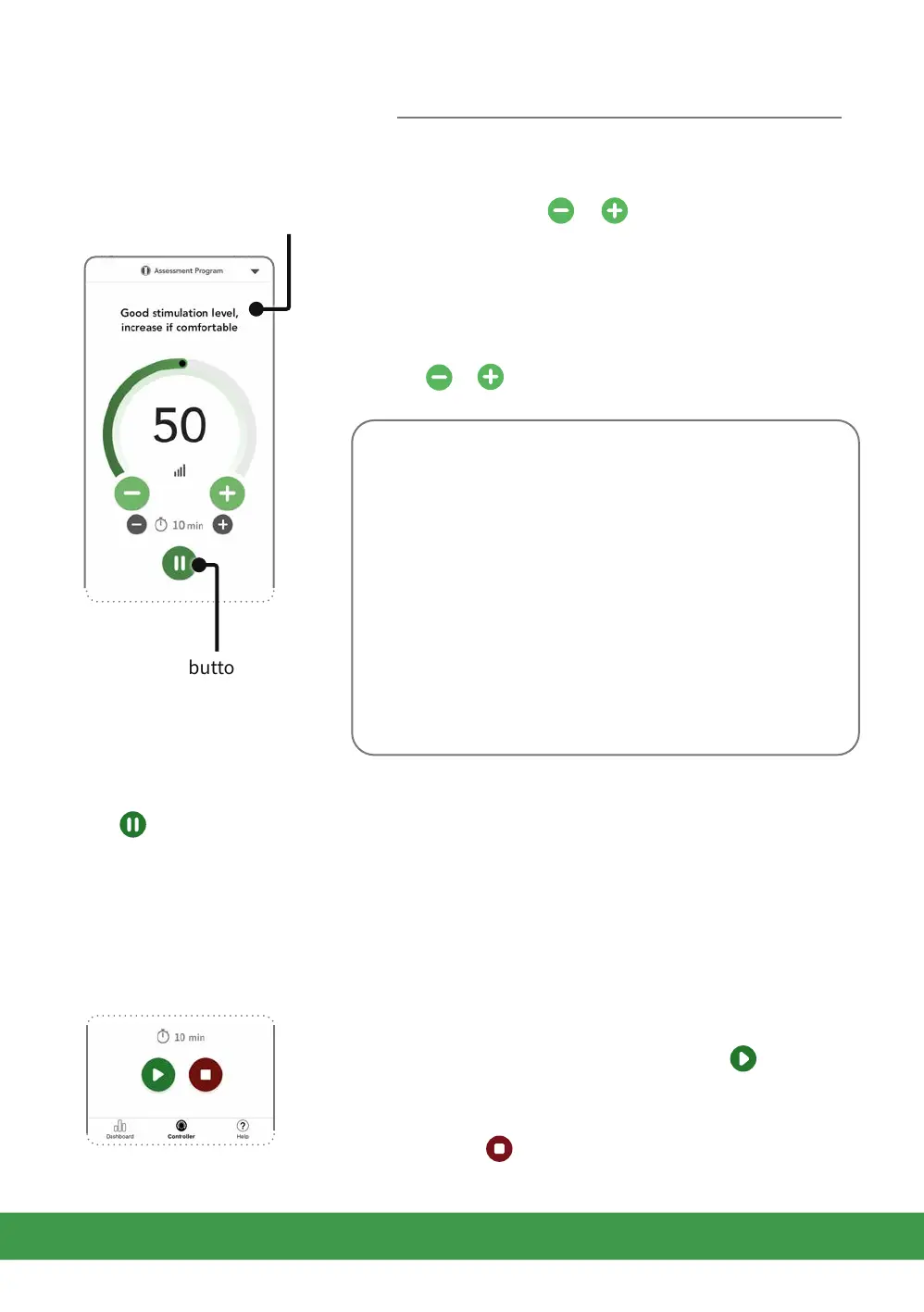
Tap the large green or buttons to manually
decrease or increase the intensity in single units
to a comfortable level. The intensity level is
indicated by the coloured intensity level indicator on
the arc and the large number inside the arc.
To quickly decrease or increase the intensity, tap and
hold or .
When using the foot-pads you will be guided to the
right intensity by indications and messages that
appear on the screen. The intensity arc will also turn
from orange to green when suicient rocking
movement is achieved.
When using the Electrode Pads use at an intensity
that provides you with strong but comfortable
muscle contractions.
If you feel pain or discomfort: Lower the intensity of
the foot/electrode pads using the intensity controls
on the controller screen or the device.
Resuming stimulation
Place both feet back on the pads and tap in the
app to resume stimulation (or tap the button on
Revitive).
You can tap to stop the stimulation session.
Pausing stimulation
Tap or remove your feet from the foot-pads.
When paused, the time display blinks in the app and on Revitive.
During a pause, you may reduce but not increase the intensity level.
Note that if paused for 10 minutes, the stimulation session ends and Revitive powers o.
You will hear three beeps when your Revitive switches o.
Pause
stimulation button
Usage tips
Getting started



 To Next Page