23
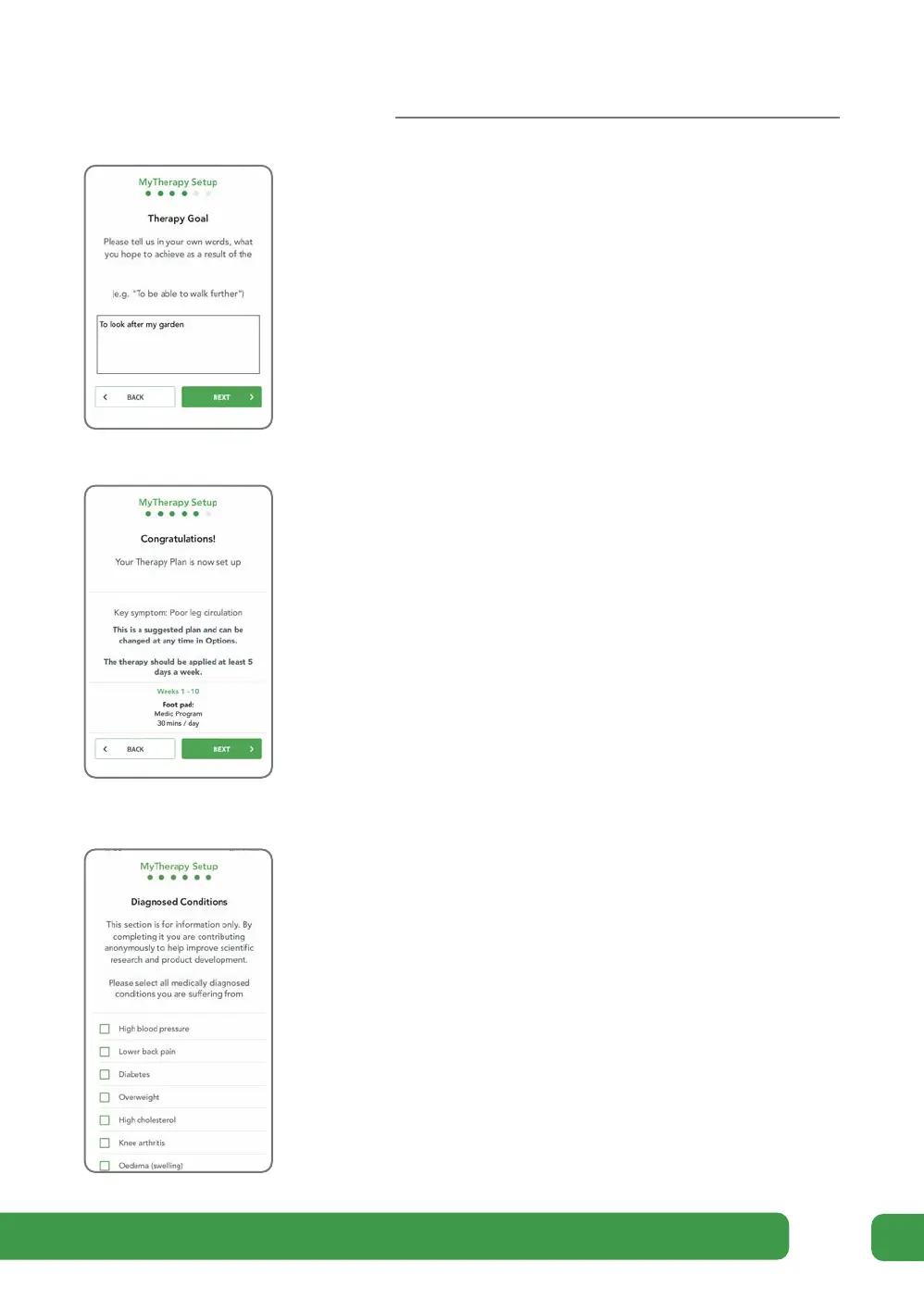
c On the Therapy Goal screen, set your own personal
goal. Type in your own words what you hope to
achieve as a result of completing the therapy and then
tap NEXT.
e The Congratulations screen summarizes your
suggested therapy.
Tap DONE. You will be taken to the Diagnosed
Conditions screen.
Note that you can view this therapy later from the
menu on the Dashboard screen. See page 24.
d On the Diagnosed Conditions screen, select which of
these conditions you have been diagnosed with by a
medical professional.
This section is for information only. By completing it
you are contributing anonymously to help improve
scientific research and product development.
Tick any that apply and then tap NEXT.
You will be taken to the Dashboard screen.
Getting started



 To Next Page