51
b You will hear a beep and the display lights will
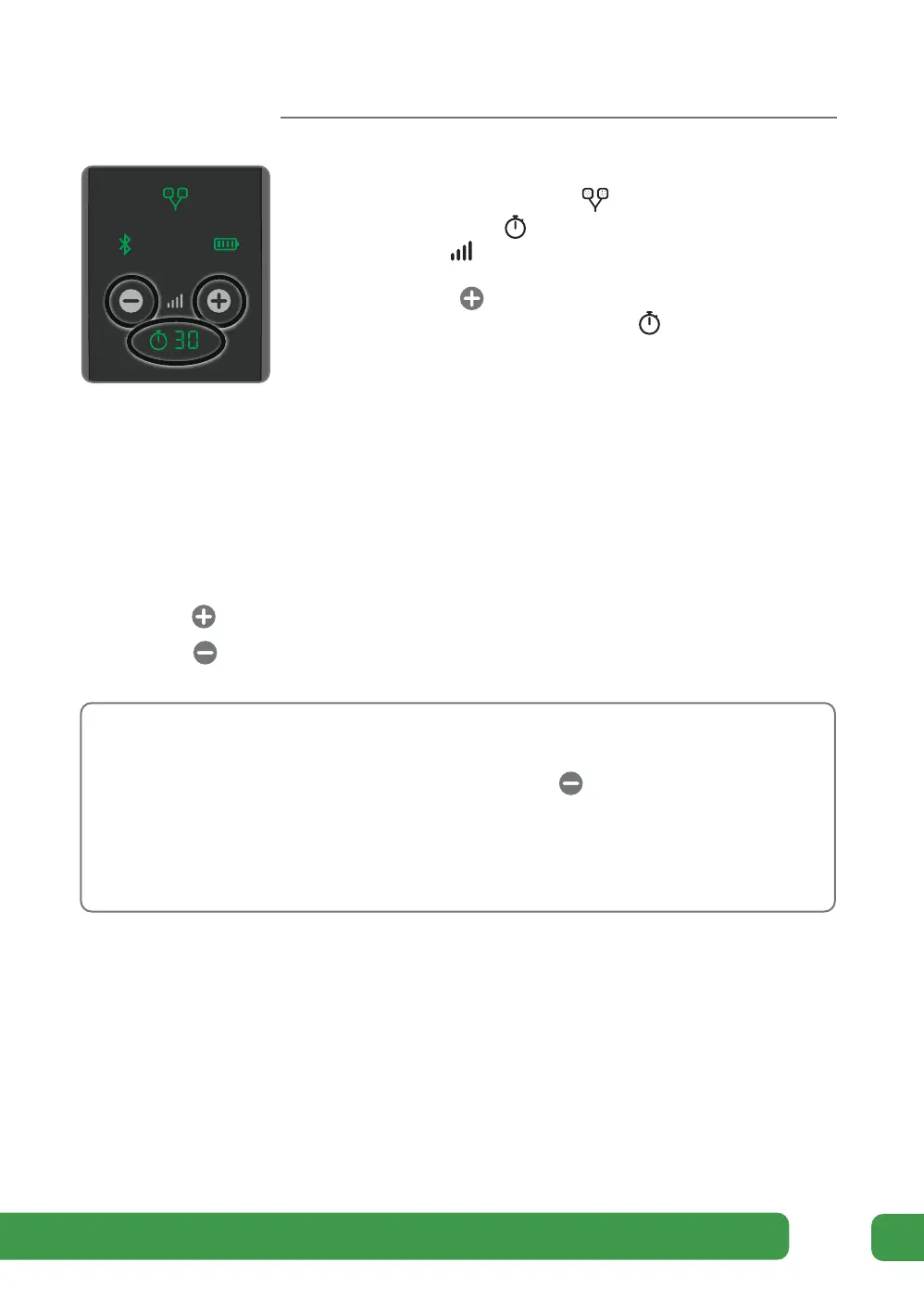
light up. Check that the Electrode Pads indicator
is lit. The time will read 30 minutes
and the Intensity will read 00.
Press the Intensity Control button on the control
panel to start stimulation. The Time Display will
start to count down in minutes as Revitive cycles
through its program.
c Set the intensity at a level at which you can feel the stimulation creating a muscle
contraction.
You can set the intensity between 1-99.
Please note that the intensity required may vary from day to day.
Press the to increase the level.
Press the button to decrease the level.
If you feel pain or discomfort:
• Lower the intensity of the Body Pads using the Intensity Control on the
device.
• You can also choose to stop therapy before the end of the 30-minute session
to avoid skin irritation by pressing the power button on Revitive.
d When Revitive times out, you will hear three beeps and Revitive will switch
itself o automatically.
e Remove and store the Body Pads by following the instructions on page 42.
0
0
3
o
Appendix



 To Next Page