20
21
Instructions for use
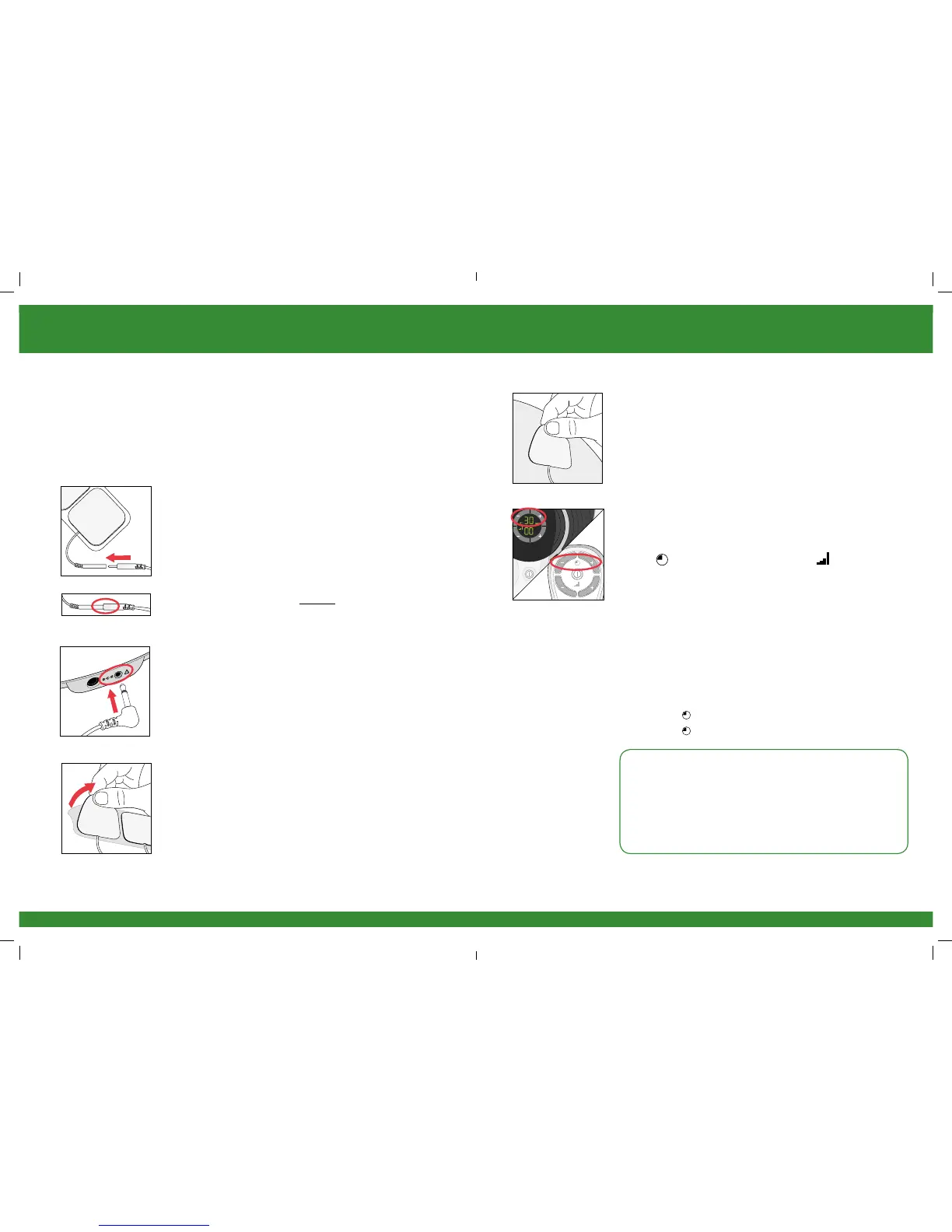
b Clean and dry the area where you will place the body
pads.
c Make sure REVITIVE Medic is switched off. If the
control panel is still illuminated, press the
power button and turn REVITIVE Medic off.
d Attach the ends of the body pads to the body pad
cord.
Press connectors until no gap is between them.
Leaving a gap may cause discomfort.
e Plug the other end of the body pad cord into the
opening on the side of REVITIVE Medic.
Plugging in the body pad cord will automatically
turn the foot pads off.
f Remove the plastic liner from the body pads, by
peeling it off carefully. Replace the body pads onto
the plastic liner after use.
g Press the body pads on the area you wish to apply
electrical stimulation to, as shown on page 19, gently
pressing the adhesive side against the skin.
h Press the power button on the device or on the
remote control to turn REVITIVE Medic on.
You will hear a beep and the display lights will light up.
The time will read 30 minutes and Intensity will
read 00.
To switch off the REVITIVE unit at any time during
operation, simply press the power ON/OFF button.
i Set the time for the number of minutes you want to
use REVITIVE Medic. The default time is 30 minutes.
You can set the timer for up to 60 minutes.
You can use the buttons on the control panel or
remote control.
Press the (+) Time Contol to increase the time.
Press the (-) Time Contol to decrease the time.
NB It is recommended to use REVITIVE Medic for
20-30 minutes per day.
Do not use REVITIVE Medic more than 6 sessions of
30 minutes (or the equivalent) per day. This may result
in muscle fatigue.


 To Next Page