MIRACO Quick Start Guide
C
2023 REVOPOINT 3D ALL RIGHTS RESERVED
05
➀ Depth Display Window
➁ RGB Display Window
➂ Distance Display
➃ Far & Near Mode Switching
➄ 3D Display Window
➅
Base Removal / Scanning Distance / Color Display / 3D Coordinates
➆ Continuous & Single-shot Switch
➇ Scan Settings
➈ Scan Control Buttons
➉ Model Hub
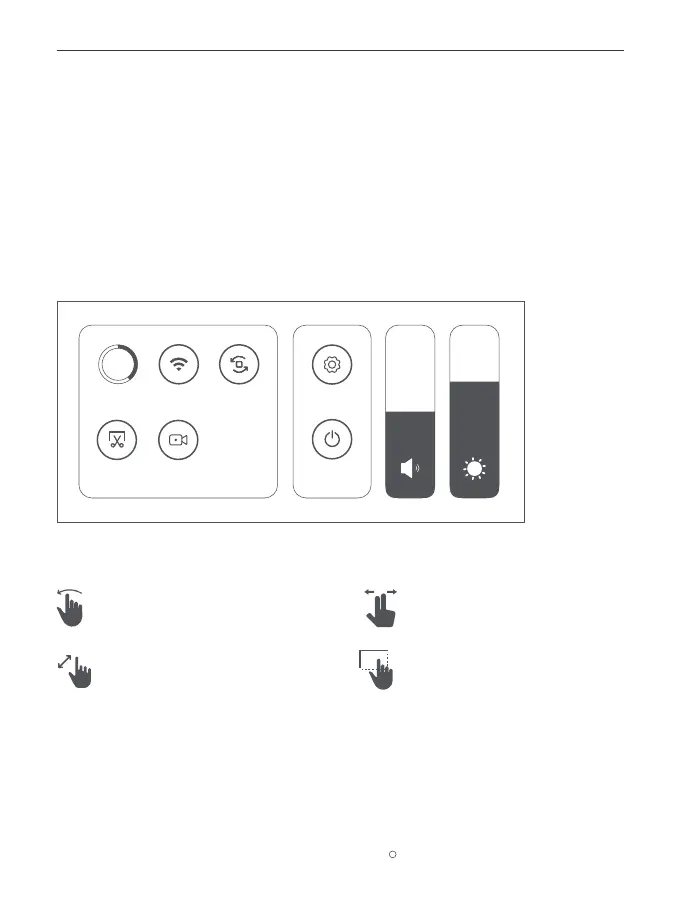
Helpful Screen Gestures
2. Screen Gestures for the Home or Post-processing page are as below:
1. Swipe down from the top of the screen to display the Quick Settings menu.
One-finger Swipe:
Rotates the model on the screen.
Two-finger Drag:
Moves the model.
Pinch to Zoom: One-finger Drag:
Model selection. Together to zoom out; apart to zoom in.
Screen Recording
Storage Screen Rotation
Screenshot
SettingsWLAN
45%
Shut Down



 To Next Page