Getting Started
17
© 2018
REXING All Rights Reserved
Getting Started
Installation
1. Attach the front camera to the rearview mirror
Unhook the straps in the back of the front camera, then wrap them around your
rearview mirror. Connect the straps to the hook on the back of the camera to
secure the camera to the rearview mirror.
2. Insert a memory card
You will need to insert a memory card before you can begin recording. Do not
insert or remove a memory card while the device is powered on. The
camera supports micro SD cards up to 256GB in size.
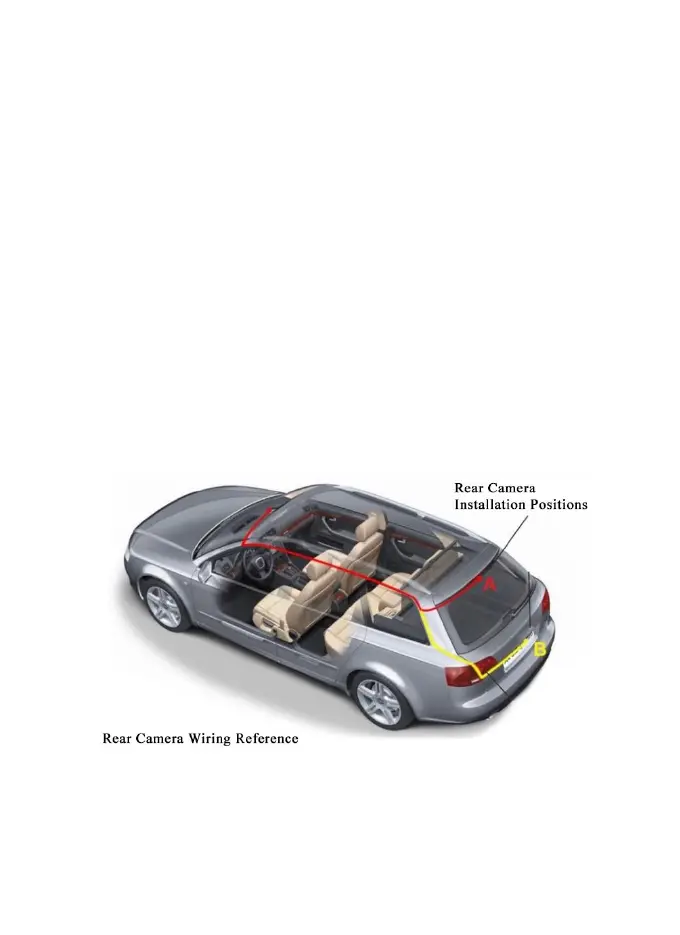
3. Mount the rear camera
Mount the rear camera as shown above. Use the rear camera extension cable
to connect the waterproof rear camera to the front camera.



 To Next Page