11
DAB/FM/Bluetoo clock radio
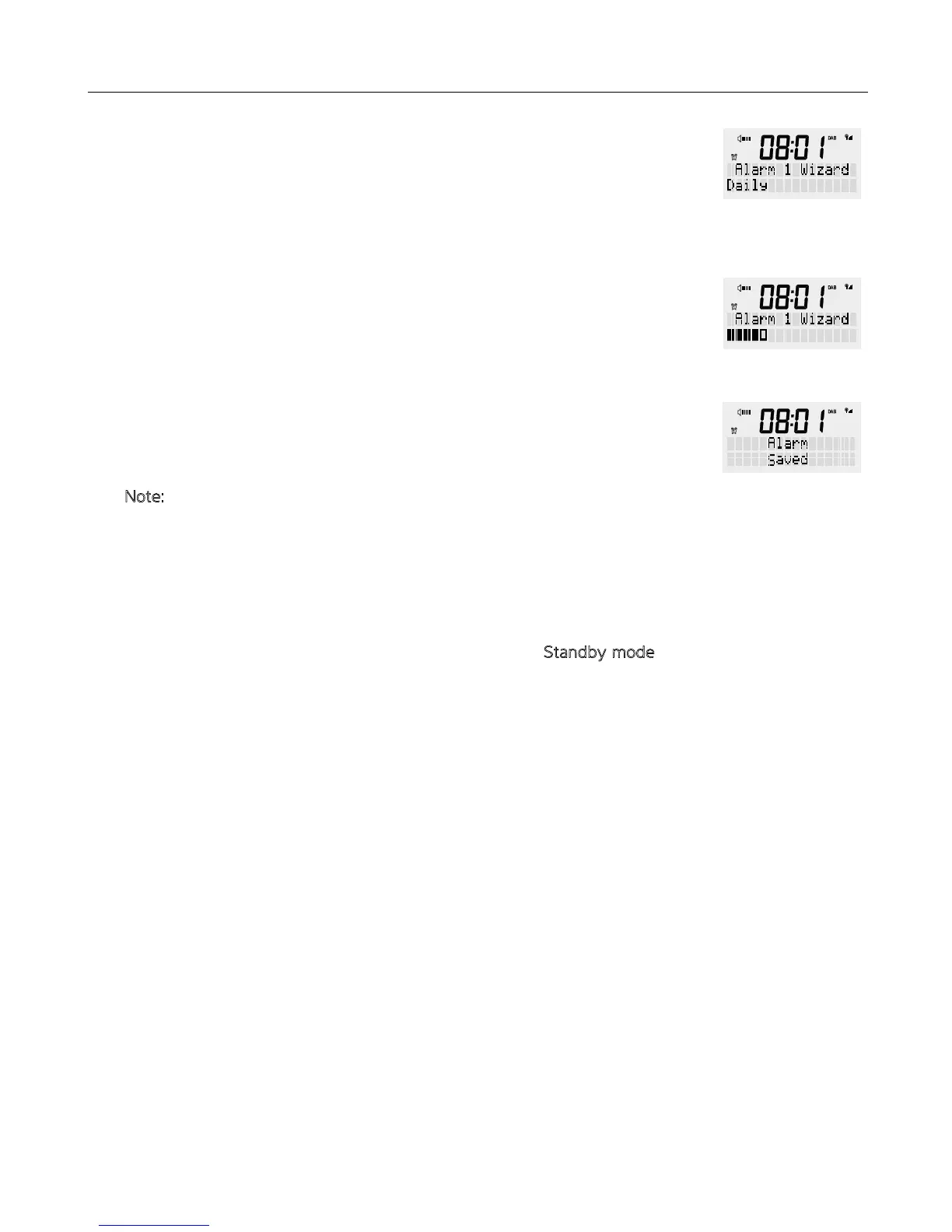
8. The alarm frequency option allows you to select when you would like e alarm
to repeat, options are DAILY/ONCE/WEEKENDS/WEEKDAYS. Use e rotary dial
to select e desired frequency, en press <SCROLL/SELECT> to confirm. Note
at a “ONCE” selection will prompt you to enter your desired date of when e
alarm needs to be activated.
9. The final step will display a bar graph of how loud you would like e alarm to
sound when activated. The alarm is incremental and will reach e desired volume
set. Use e rotary button to select e desired volume, en press
<SCROLL/SELECT> to confirm.
10. The clock radio will display “Alarm Saved” and e icon will be displayed on e
front screen.
N
ote: During e process of e alarm setting, pressing e alarm button once will
exit e alarm setup. You may also press e <BACK> button to move back
rough e settings if a change needs to be made.
This function allows you to turn off/on individual alarms wi a simple press of a button.
1. Press e <POWER> button to switch off e clock radio – S
tandby mode
2. Press e <ALARMS> button. Wi each press you can select between (Alarm
1:On & Alarm 2:On) / (Alarm 1:Off & Alarm 2:Off) / (Alarm 1:On & Alarm 2:Off) /
(Alarm 1:Off & Alarm 2:On)
3. Select your desired function and en press <SCROLL/SELECT> to confirm.
You can stop e alarm by pressing e <ALARM> or <POWER> button. The screen
will show “ALARM OFF”. The radio will go to standby mode.
Press e <SNOOZE> button when e alarm has sounded. This will display e
snooze time. The snooze time can be set to 5, 10, 15 or 30 minutes, wi each press
of e snooze button. The alarm icon will continue to flash. The screen will show a
countdown.
When e radio alarm starts sounding again, you can press e <ALARM> or e
<POWER> button to stop it or you can press e <SNOOZE> button to set e snooze
time again.
TURNING THE ALARM/S ON/OFF
STOP THE ALARM
SNOOZE FUNCTION


 To Next Page