8
DAB/FM/Bluetoo clock radio
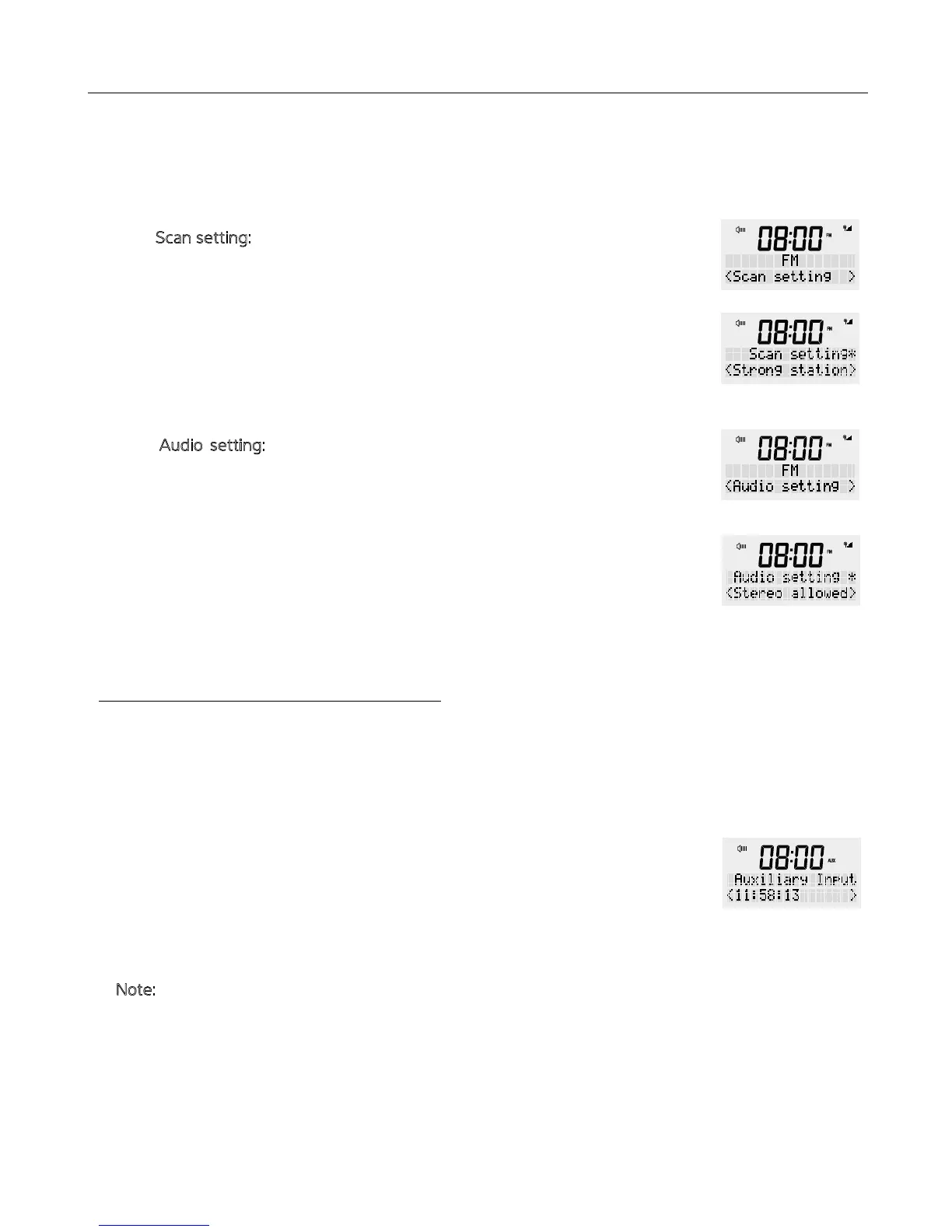
4. For additional settings in FM radio mode, press and hold e <MENU / INFO>
button, release once an option is available on e screen. Turn e rotary dial to
select e following options and press to confirm.
-S
can setting: FM scans stop at available station. If choosing scan at all station,
is may result in poor quality audio from weak stations.
Press and hold e <MENU / INFO> button, release once an option is
available on e screen. Turn e rotary button to select ‘Scan setting’ and
press once to confirm. Then you can select ‘Strong station only’ (default) /
‘All station’ and press <SCROLL/SELECT> button to confirm.
-A
udio setting: By default, all stereo stations are reproduced in stereo. For
weak stations, is may result in poor quality audio and static. The audio
quality can be improved using mono.
Press and hold e <MENU / INFO> button, release once an option is
available on e screen. Turn e rotary button to select ‘Audio setting’ and
press once to confirm. Then select ‘Stereo allowed’ or Forced mono’ and
press <SCROLL/SELECT> dial to confirm.
This mode allows you to use e radio as a speaker for an external device (e.g. mobile
phone, MP3 player or tablet).
Press e Power button to turn your unit ON.
Press e <MODE> button several times until ‘Auxiliary Input’ is shown on e display.
The device is now in AUX IN mode.
1. Connect your external device to e back socket at e radio.
2. Play a track on your external device to hear sound.
3. Use e volume dial on e radio to adjust e volume accordingly.
N
ote: You may need to adjust sound on your external device as required.
OPERATION IN VARIOUS MODES
AUX IN


 To Next Page