5
DAB/FM/Bluetoo clock radio
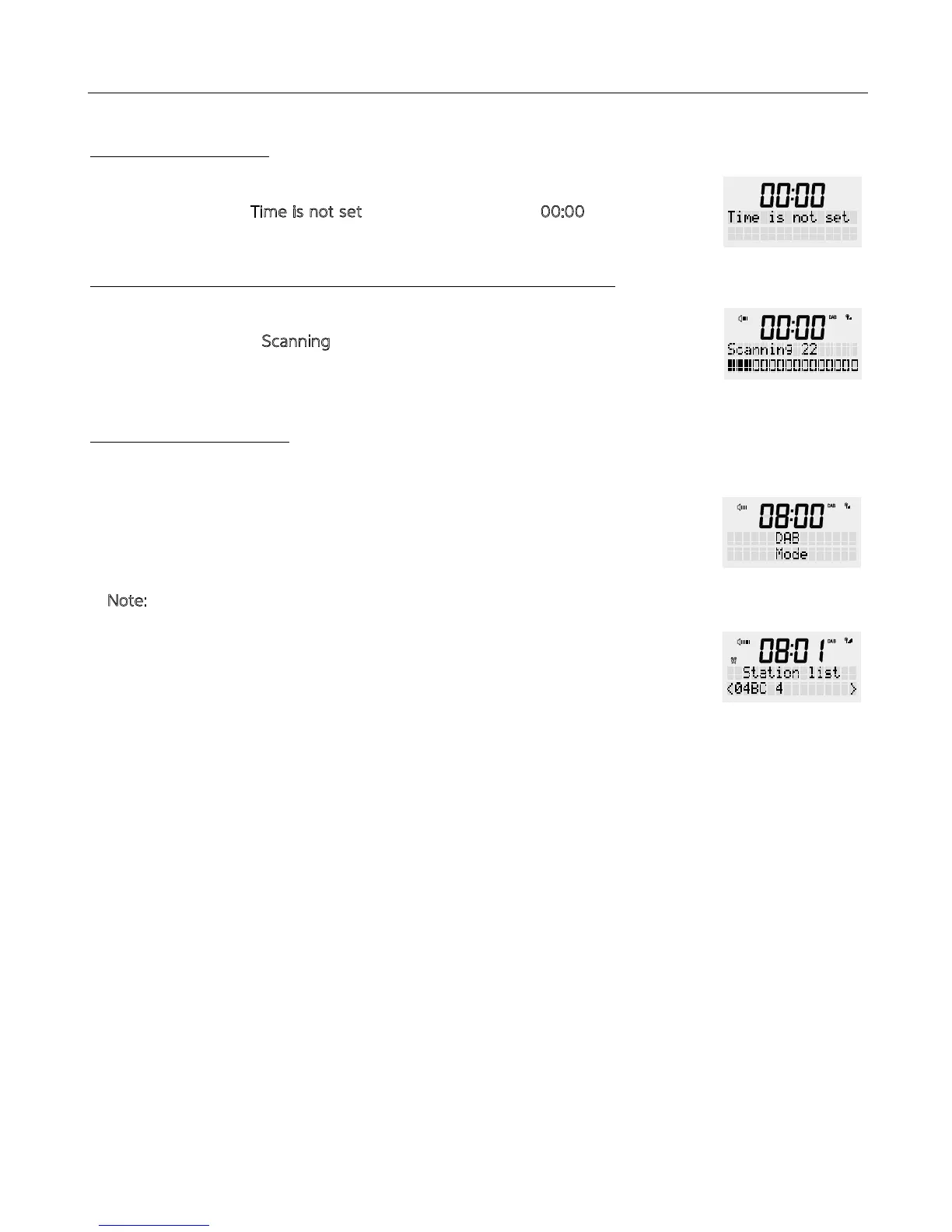
When e power is connected for e first time, e radio will enter standby mode.
Display will show e ‘T
ime is not set’ and e clock will flash ‘00:00’
When e radio is switched on for e first time it will automatically go into DAB mode.
The radio will display ‘S
canning’ on e screen and a bar will show e scanning
progress. The number on e right of scanning shows how many channels are found.
In is mode, e radio receives a digital signal and displays information about e
radio station, music title, etc.
1. Press <POWER> to turn on. Then press e <MODE> button to select ‘DAB MODE’
on e display.
N
ote: If no DAB reception is currently available, change e position of your device or
adjust e aerial. Press and hold e <MENU / INFO> button to enter e menu. Turn
e rotary button to select ‘Full scan’ and press e <SCROLL/SELECT> button to
confirm, is will start a new search.
2. In DAB mode, turn e rotary button to navigate rough e available DAB channels.
First press e ‘TUNE’ button, and turn e rotary dial to select a channel from e list,
press e <SCROLL/SELECT> dial to confirm.
3. Short press e <INFO> button for more information about your DAB station.
Information such as:
- DLS (Dynamic Label Segment) – scrolling text
- Signal Streng
- PTY (Programme Type)
- Ensemble
- Frequency
- Signal quality
- Bitrate codec
- Time
- Date
STANDBY MODE
TURNING YOUR RADIO ON FOR THE FIRST TIME:
DAB RADIO MODE


 To Next Page