6
DAB/FM/Bluetoo clock radio
4. For additional settings in DAB radio mode, press and hold e <MENU / INFO>
button. Once an option is displayed, let go of e <MENU / INFO> button. Turn e
rotary dial to select any of e following choices and press e <SCROLL/SELECT>
dial to confirm.
To access ese options your radio must be switched “ON”. If your radio is not ON,
press e Power button to switch it ON.
-F
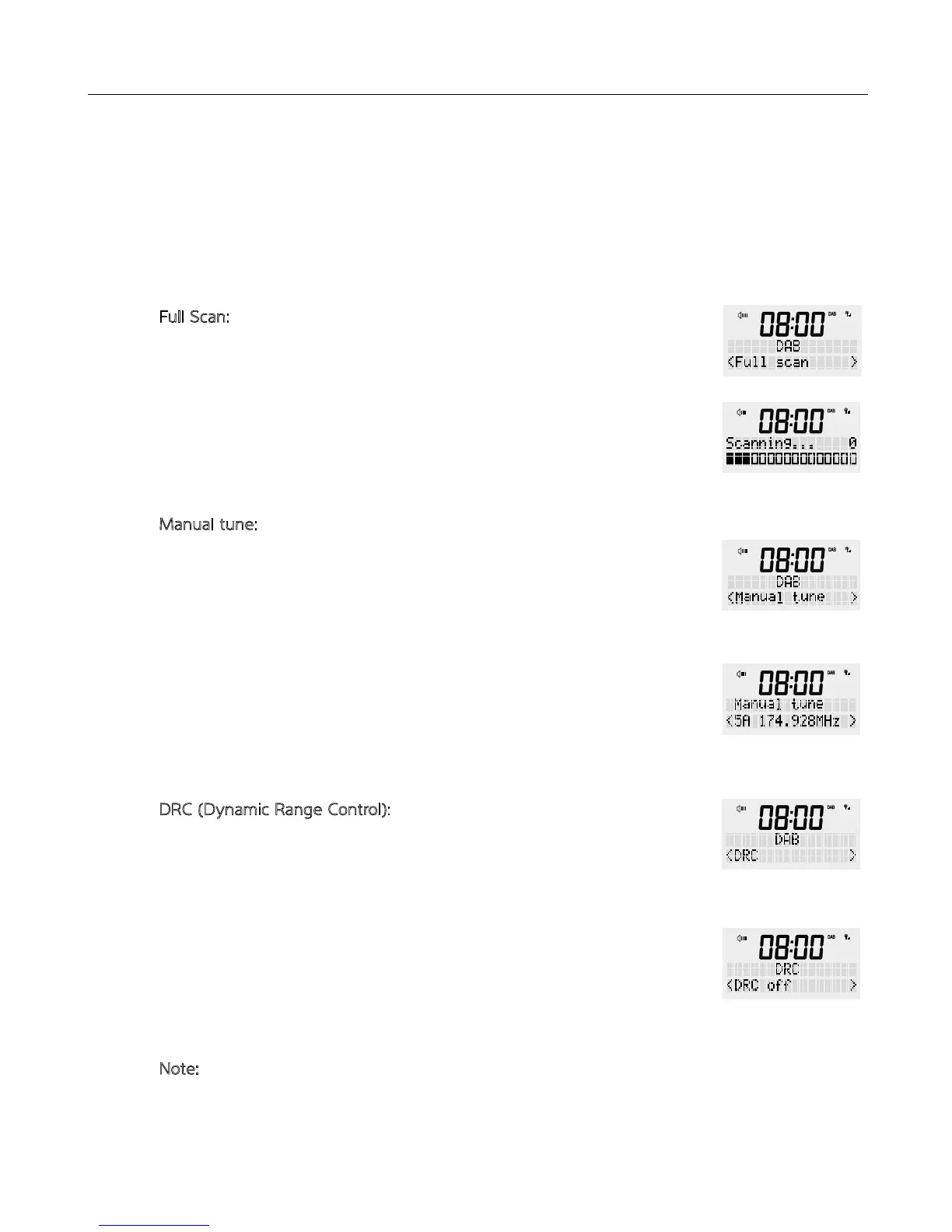
ull Scan: Automatic channel search of all available channels.
You can use is function to refresh your channel list or to scan for new
available stations.
Press and hold e <MENU / INFO> button, release once an option is
available on e screen. Turn e rotary dial to select ‘Full scan’ and press
once to confirm. Your radio will start scanning now.
-M
anual tune: Frequencies can be manually selected
As well as e normal meod of scanning, you can also manually tune to a
particular channel/frequency. This can be useful for adjusting your antenna to
achieve e best possible reception and scanning a particular channel to
update e station list.
Press and hold e <MENU / INFO> button, release once an option is
available on e screen. Turn e rotary dial to select ‘Manual tune’ and press
once to confirm. Then turn e rotary dial again to select a particular
frequency option and press <SCROLL/SELECT> button to confirm.
-D
RC (Dynamic Range Control): Adjust and change e dynamic range
This function reduces e difference between e loudest and quietest audio
being broadcast. Effectively, is makes quiet sounds comparatively louder
and loud sounds comparatively quieter.
Press and hold e <MENU / INFO> button, release once an option is
available on e screen. Turn e rotary dial to select ‘DRC’ and press once to
confirm. Then turn e rotary dial again to select <off (default) / high / low>
and press <SCROLL/SELECT> dial to confirm.
N
ote: DRC only works if it is enabled by e broadcaster for a specific station.
DRC is not broadcast or enabled in Australia.


 To Next Page