12
DAB/FM/Bluetoo clock radio
Your radio can store up to 10 DAB+ and 10 FM radio stations in its preset memory for
instant access to your favorite stations.
N
ote: When you store DAB+ preset stations, ese do not overwrite your FM station
presets.
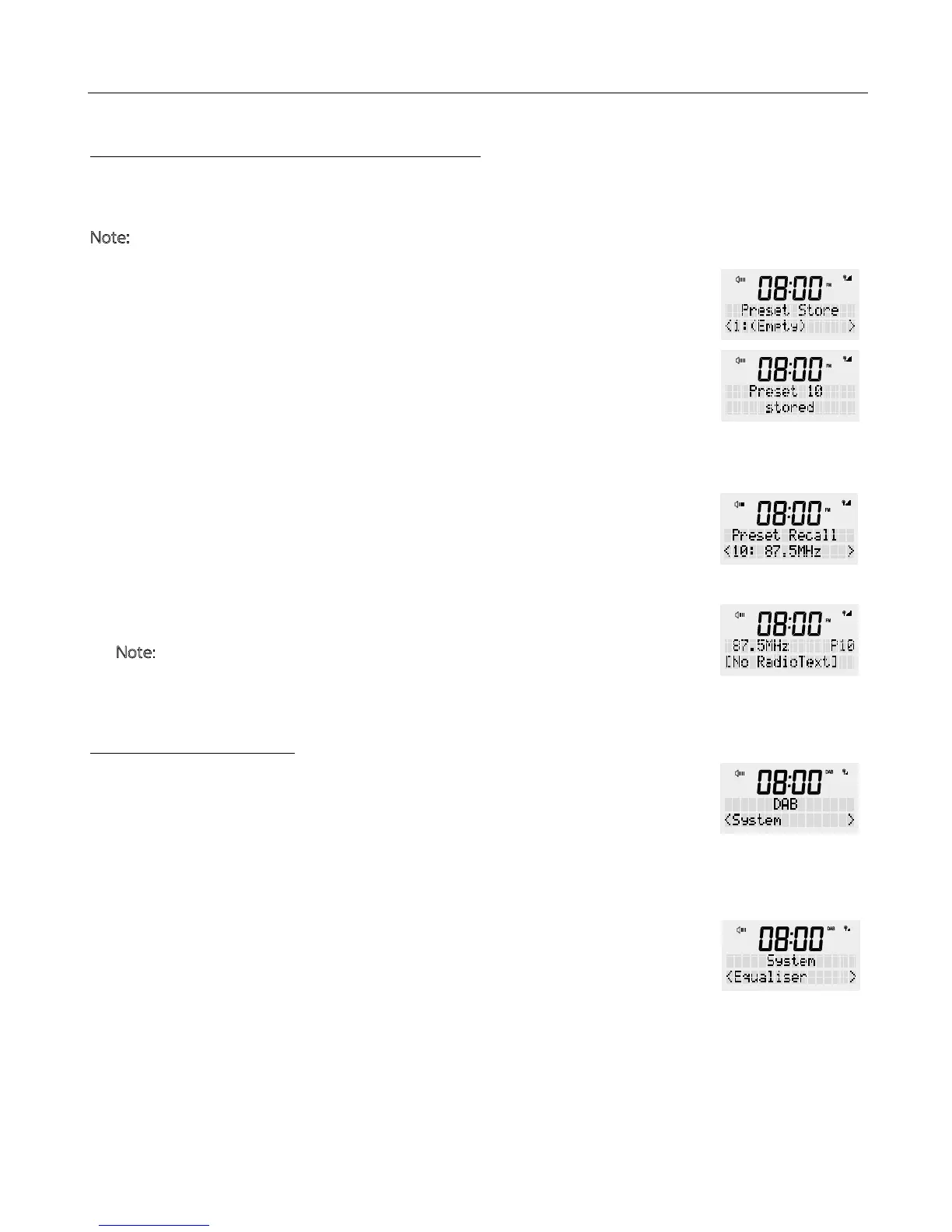
1. Tune e radio to e station you want to store. Press and hold e <PRESET>
button. Once “Preset Sore” is displayed, release e button.
2. Turn e rotary dial to select e number where you want to save e station to
(1-10).
3. Press e <SCROLL/SELECT> dial to lock in e selection.
1. Press e <PRESET> button to retrieve e preset list.
2. Turn e rotary dial until you have found e preset number you are looking for.
3. Press <SCROLL/SELECT> to retune e radio to e selected radio station.
N
ote: If you choose a preset at has not been stored, “(Empty)” will be shown on
e LCD display.
For additional system setting in DAB and FM radio mode, whilst e unit is “ON” you
can press and hold e <MENU / INFO> button. Turn e rotary button to select e
following choices and press e <SCROLL/SELECT> button to confirm.
The sound settings can be accessed in each mode.
1. Press and hold e <MENU / INFO> button, release once an option is available.
Using e rotary dial go to ‘System’ in e display and press <SCROLL/SELECT>.
2. Scroll rough e ‘System’ menu and turn e rotary dial until you reach ‘Equalizer’
and confirm by pressing e <SCROLL/SELECT> button.
Available equalizer settings are:
i) Normal, Classic, Jazz, Pop, Rock, Speech
a) Select e desired equalizer setting using e rotary dia.
b) Press e <SCROLL/SELECT> dial to lock in your setting.
HOW TO SET PRESET IN DAB OR FM
RECALL A STATION FROM THE PRESET LIST
SYSTEM SETTINGS
EQUALISER


 To Next Page