13
DAB/FM/Bluetoo clock radio
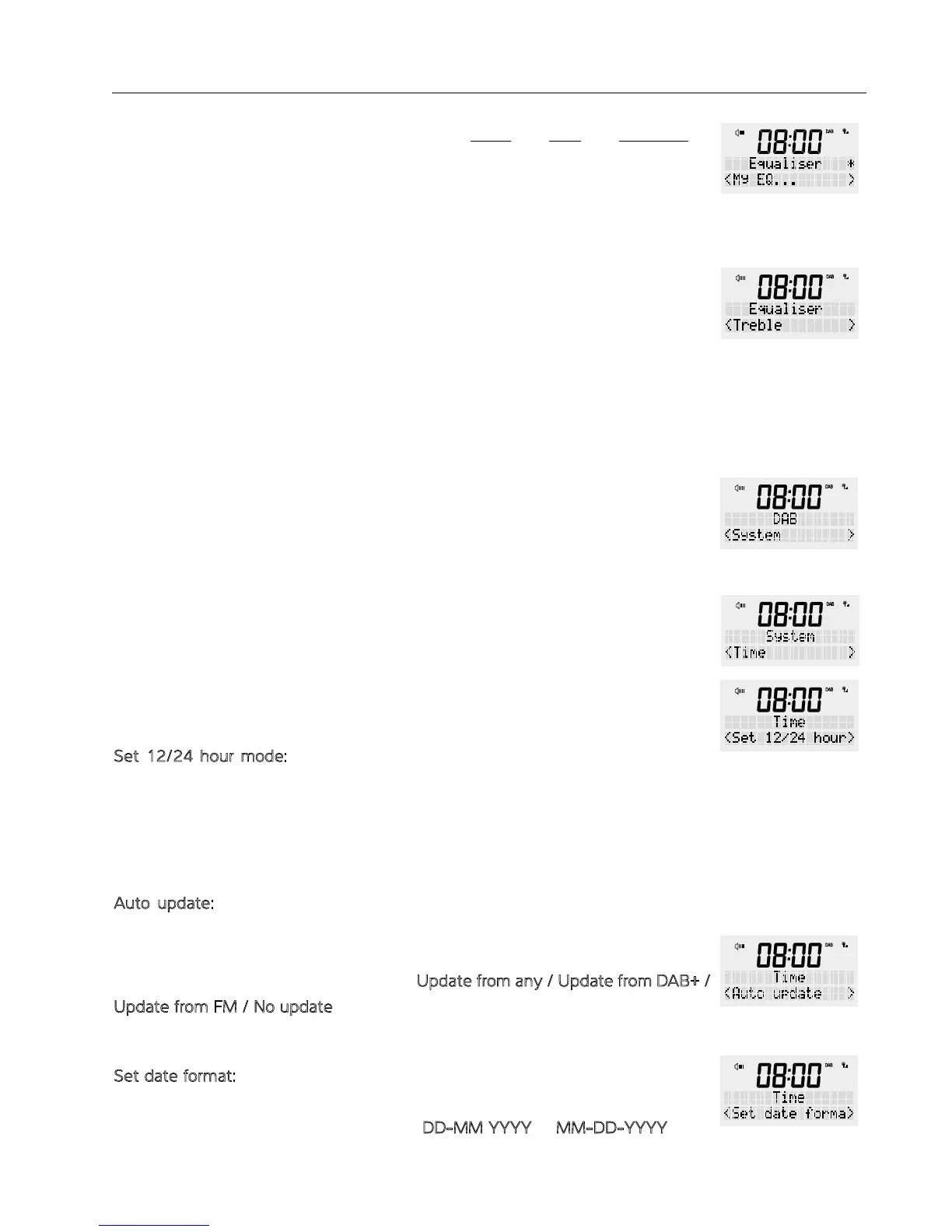
ii) ‘My EQ...’: here you can individually adjust e treble and bass and loudness to
your personal liking. Then press <SCROLL/SELECT> to confirm your selection.
a) To adjust treble, turn e rotary dial to select from ‘-7’ to ‘+7’, press select
to lock in your treble setting.
b) To adjust bass, turn e rotary dial to select ‘-7’ to ‘+7’, press select to lock
in your treble setting.
c) To adjust loudness, turn e rotary dial to select ‘Yes’ or ‘No’, press e
<SCROLL/SELECT> dial to lock in your setting.
3. Once you are finished, press e <BACK> button several times to exit settings
mode.
In is section you can set e time and date manualy.
Press e power button to turn your radio ON.
1. Press and hold e <MENU / INFO> button, release once an option is available on
e display. Using e rotary button switch to ‘System’ in e display and confirm by
pressing e <SCROLL/SELECT> button.
2. Using e rotary dial, scroll rough e ‘System’ menu until you reach ‘Time’ and
confirm by pressing e <SCROLL/SELECT> button.
3. Choose e required sub-menu and confirm by pressing e <SCROLL/SELECT>
button.
- S
et 12/24 hour mode: Use is menu to change e clock from 12 to 24 hours
display.
Select ‘Set 12/24 hours’ and press e <SCROLL/SELECT> dial to open e menu.
Use e <SCROLL/SELECT> dial to select from ‘Set 12 hour’ or ‘Set 24 hour’ [using
e rotary dial, press e dial in to confirm]
- A
uto update: Use is menu to select e source e time will automatically be
updated from.
Select ‘Auto update’ and press e <SCROLL/SELECT> dial to open e menu. Use
e <SCROLL/SELECT> dial to select from U
pdate from any / Update from DAB+ /
U
pdate from FM / No update. Use e rotary dial to select e setting you want to
use en press e dial in to confirm.
- S
et date format: Use is menu to change e layout of e date format.
Select date format and press e <SCROLL/SELECT> dial to open e menu. Use
e <SCROLL/SELECT> dial to select from D
D-MM YYYY or MM-DD-YYYY using
e rotary dial, press e dial in to confirm.
TIME


 To Next Page