14
DAB/FM/Bluetoo clock radio
- S
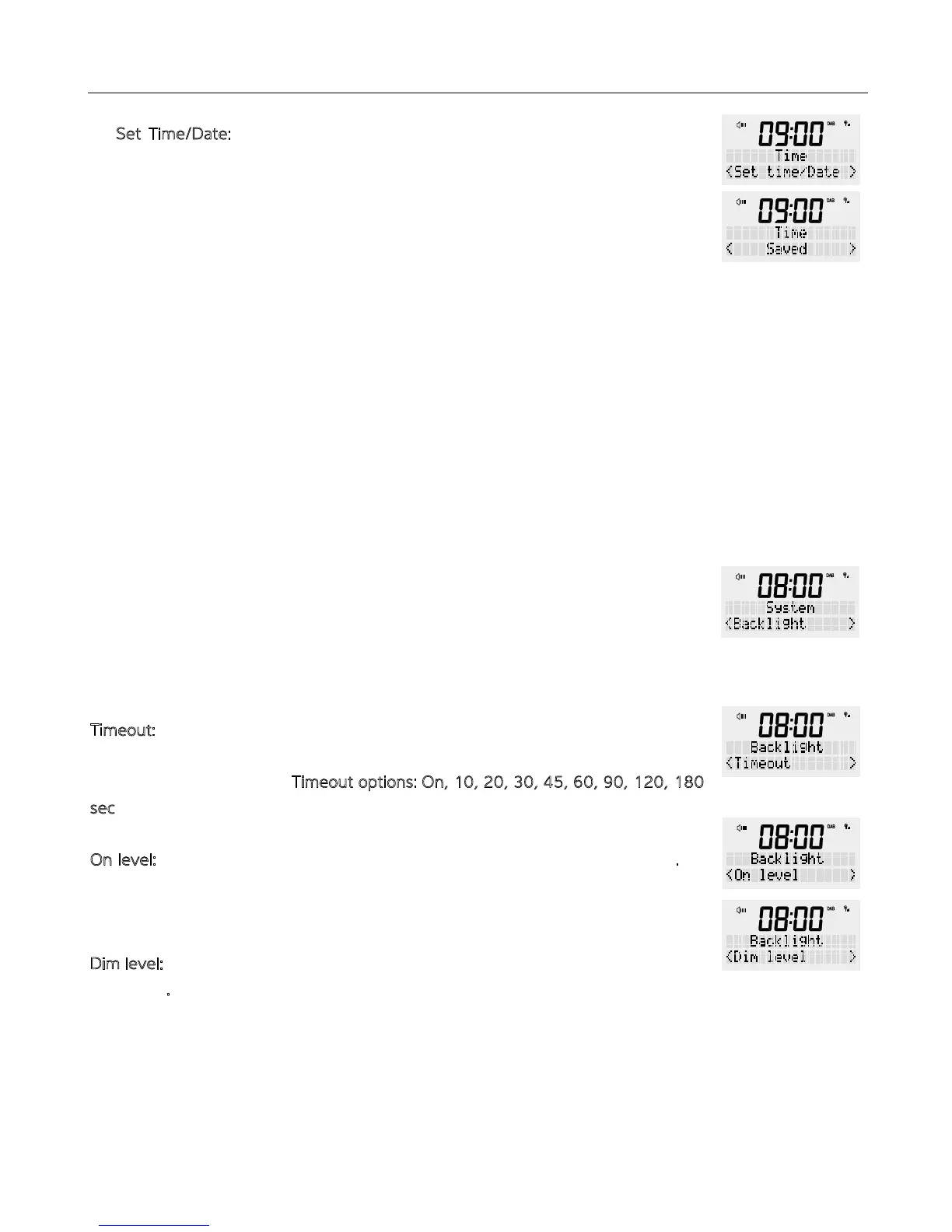
et Time/Date: Select ‘Set Time/Date’ and press e <SCROLL/SELECT> dial to
open e menu. Use e rotary dial to set e hour en press e dial in to confirm.
Repeat e process for e minutes, day, mon and finally e year. Once “year”
has been entered, press e <SCROLL/SELECT> dial. The radio will display e time
and date you have entered on e front display.
4. Press e <BACK> button multiple times to exit settings mode.
Set e brightness at e screen in ‘Standby’ mode or ‘ON’ mode.
NOTE: While using e buttons and e dial on your radio e screen brightness will be
on maximum. Once no buttons are pressed and aer e set “Timeout” e radio will
revert to your preferred backlight level.
Press e power button to turn your radio ON.
1. Press and hold e <MENU / INFO> button, release once an option is available on
e display. Turn e rotary dial until ‘System’ appears in e display and confirm by
pressing <SCROLL/SELECT>.
2. Scroll rough e ‘System’ menu and turn e rotary button until you reach
‘Backlight’ and confirm by pressing e <SCROLL/SELECT> button.
3. You can set settings for ‘Timeout’, ‘On level’, ‘Dim level’
Timeout: This is e time aer which your screen will change brightness.
Turn e rotary dial, choose from below options and confirm by pressing e
<SCROLL/SELECT> button. T
imeout options: On, 10, 20, 30, 45, 60, 90, 120, 180
s
ec
O
n level: This is e brightness level at will be displayed when e radio is “ON”.
There are five brightness options to e display, from ‘1’ (lowest) to ‘5’ (strongest).
Using rotary dial, choose between ‘1’ to ‘5’ and confirm by pressing e
<SCROLL/SELECT> button.
D
im level: This is e brightness level at will be displayed when e radio is “OFF” or
in Standby.
There are five brightness options to e display, from ‘1’ (lowest) to ‘5’ (strongest).
Using rotary button, choose between ‘1’ to ‘5’ and confirm by pressing e
<SCROLL/SELECT> button.
4. Press e <BACK> button multiple times to exit settings mode.
BACKLIGHT


 To Next Page