Security Settings
30
C
CC
C
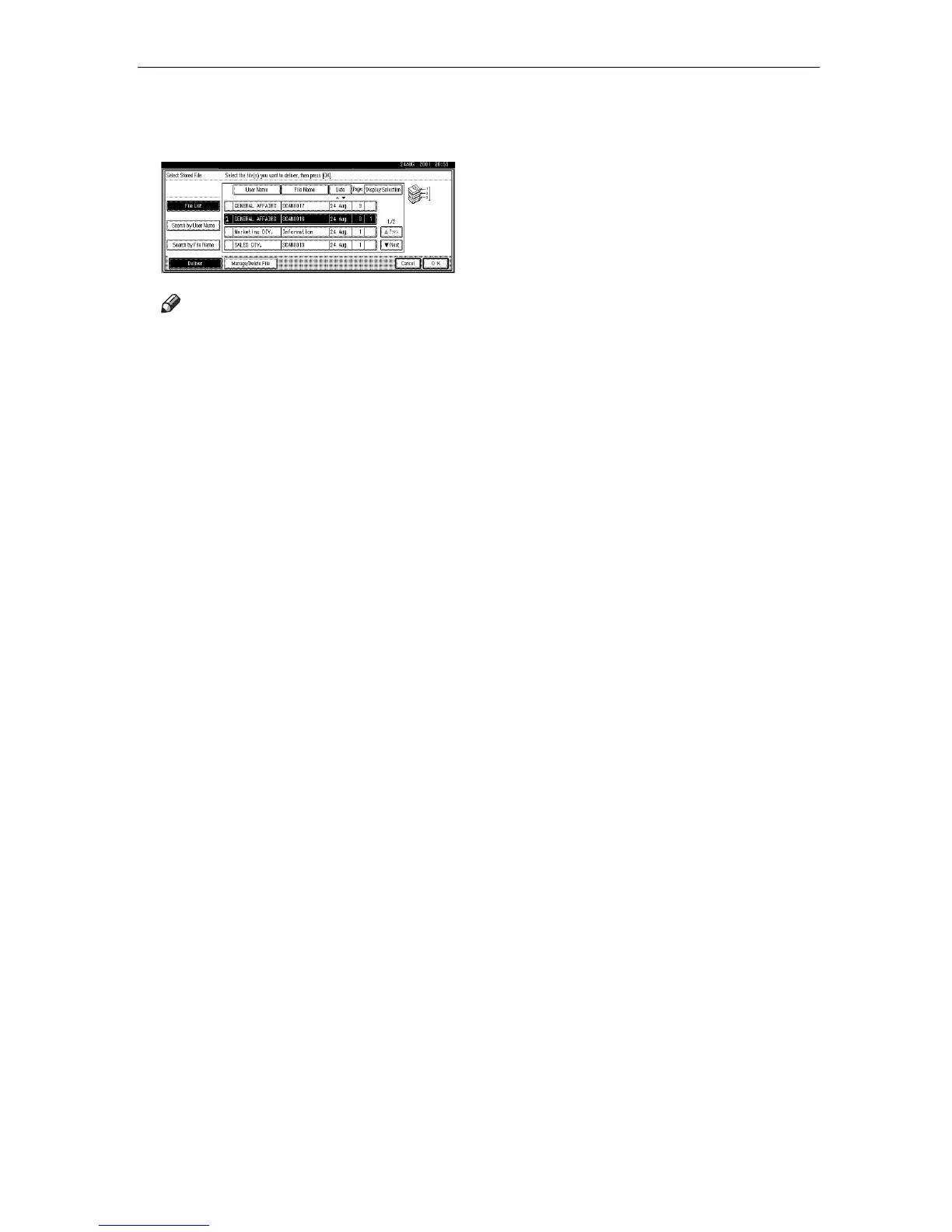
To select multiple files, repeat
step
B
BB
B
.
Note
❒ If you select
[
Display Selection
]
,
the selected files only will be
shown in the order of delivery.
Descending sort is not possible
in this case.
D
DD
D
Press
[
OK
]
.
The file names are shown in
[
Select
Stored File
]
, and the machine is in
standby condition for delivery.
E
EE
E
Specify the destination and send-
er information, and press the
{
{{
{Start}
}}
} key.
The selected file(s) are delivered.




 To Next Page