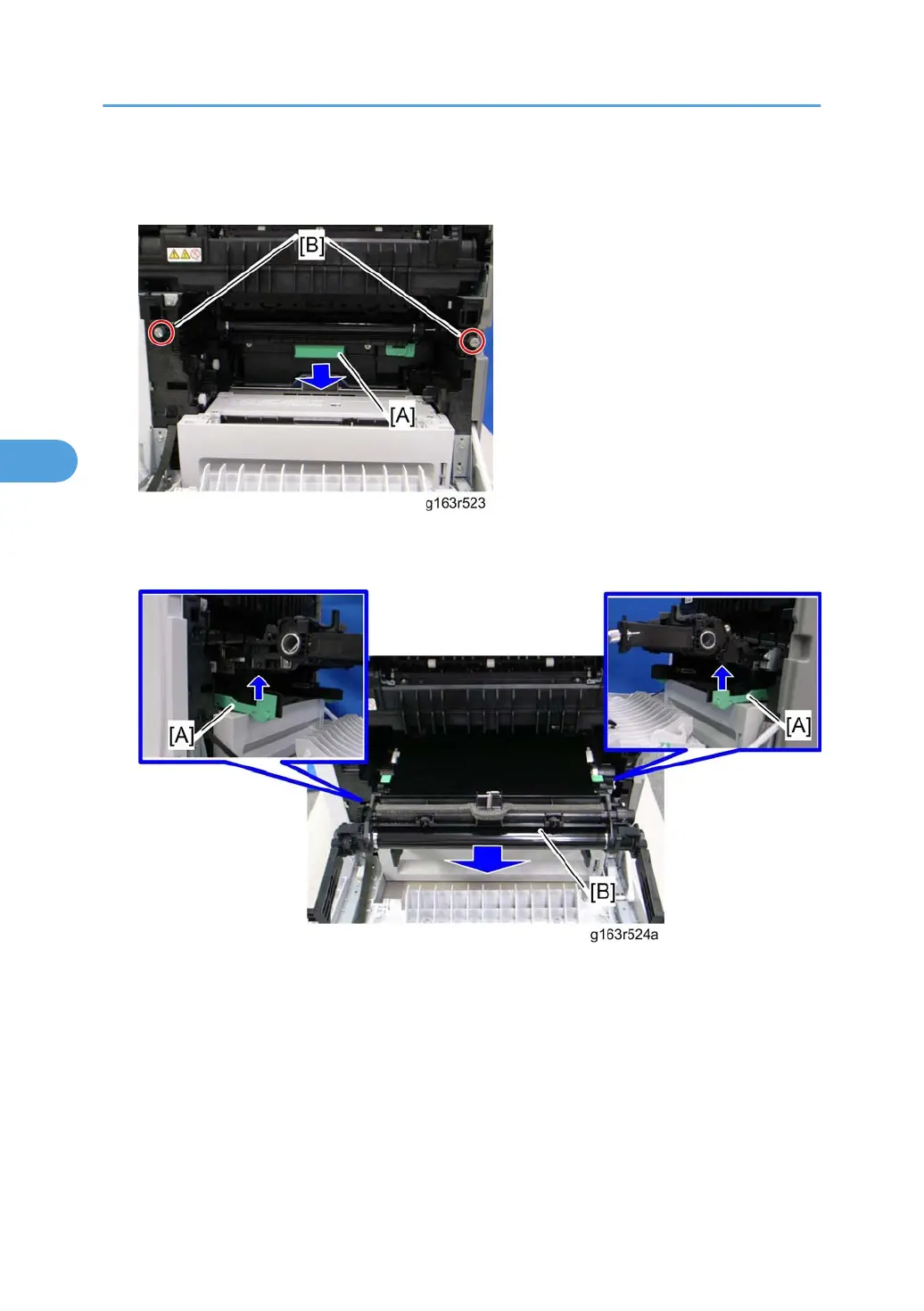
2. Release the locks [A].
3. Remove the transfer unit [B].
4. Remove the waste toner bottle [A].
5.
Remove the two screws [B].
6. Grab the handles [A], and then pull out the image transfer belt unit [B].
7.
Remove the waste toner bottle.
4. Appendix: Machine Swap
120




 To Next Page