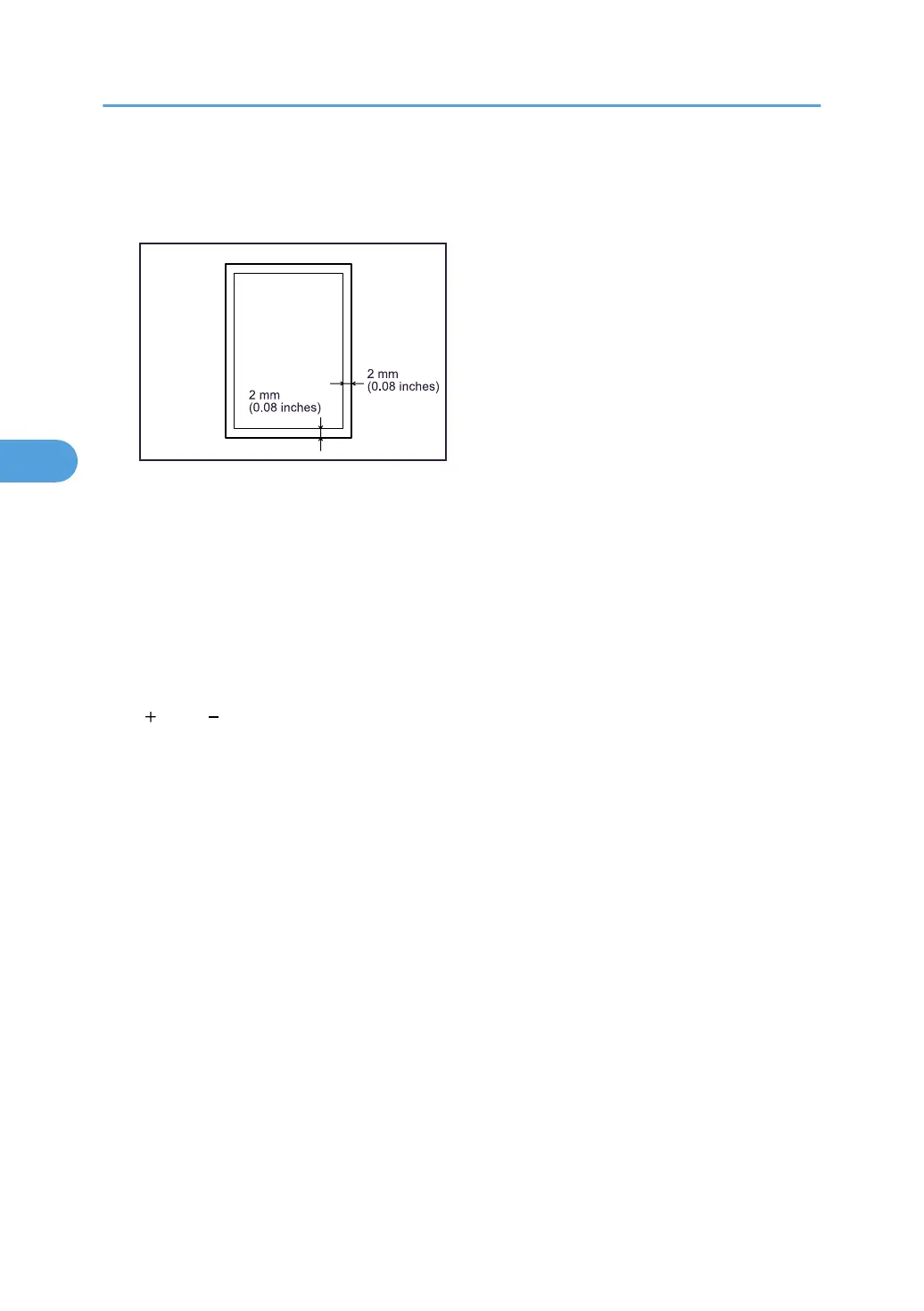
12. Using the supplied scale, measure the distance between the sheet's right and bottom sides
and the Frame Image. The optimum aligned distance is 2 mm (0.08 inches). Use the following
steps to adjust the print position according to the degree of misalignment.
13. Press [Back to Settings].
14. Press [0101 Adjust Image Position Across Feed Direction] or [0102 Adjust Image Position
With Feed Direction].
[0101 Adjust Image Position Across Feed Direction]: Vertical alignment relative to paper feed
direction.
[0102 Adjust Image Position With Feed Direction]: Horizontal alignment relative to paper feed
direction.
15. Select the paper tray you want to adjust, and then specify the adjustment value using the
[ ] and [ ].
16. Press [OK], and then press [Back].
17. Repeat steps 7 to 16 until the distances between the paper sides and the Frame Image are
between 1.5 and 2.5 mm (0.06 and 0.10 inches).
4. Appendix
76







 To Next Page