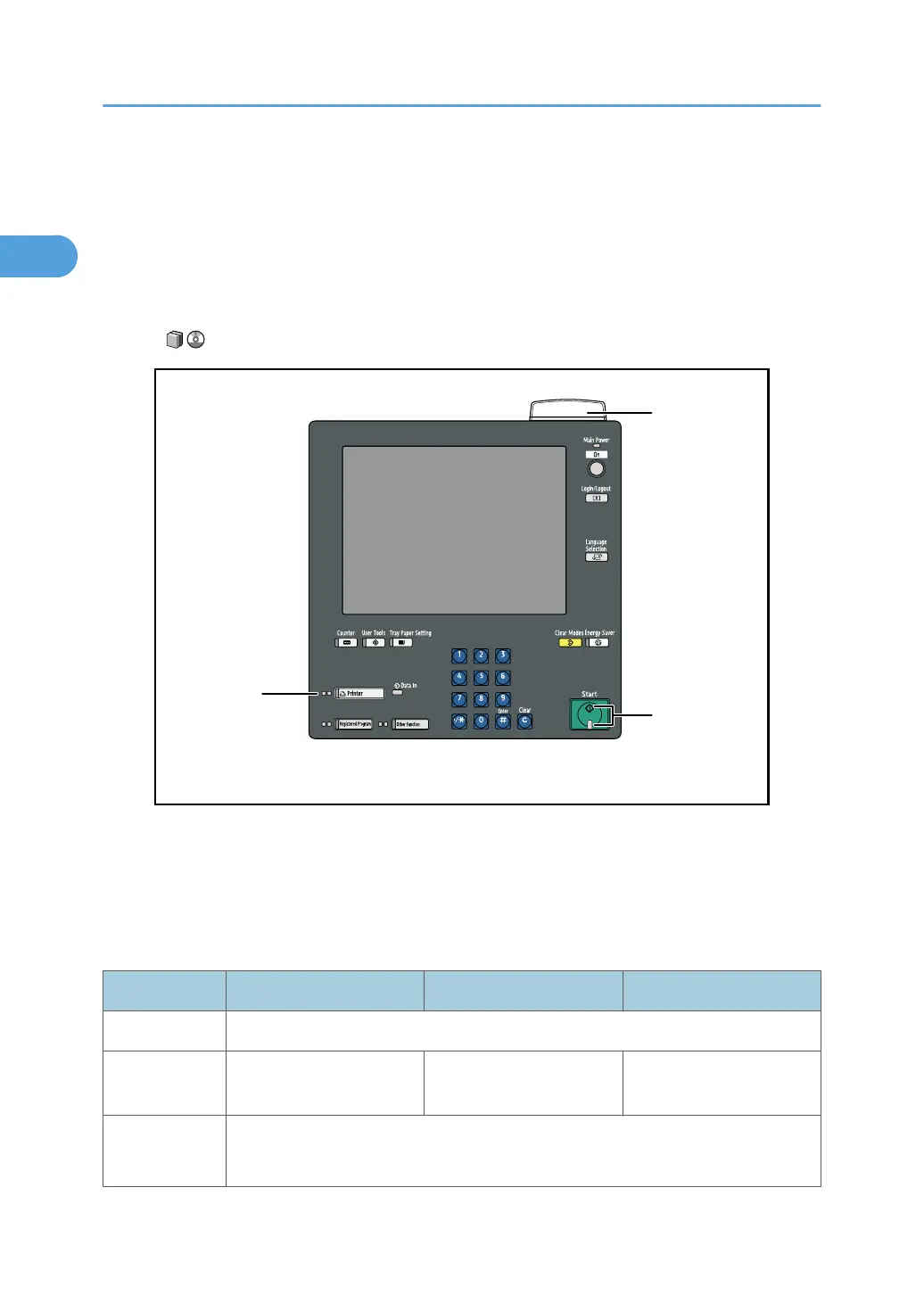
If the Indicators are Lit Red
If any of the indicators are lit red, an error has occurred and the machine cannot be used.
If an error occurs, check the message that appears on the control panel, and then refer to p.21 "Messages
Displayed When Using the Printer Function".
If you are using the optional Attention light, see "Guide to Components of the Attention Light", About This
Machine .
1. Status Indicator
2. Function status indicators
3. [Start] indicator
The Lamp Status
Indicator Status Indicator Function status indicators [Start] indicator
Off The operation switch is turned off. Prints can still be made.
Lit green The machine is printing or
receiving data.
The machine is printing. The machine is online.
Lit red A paper jam or some other malfunction has occurred.
See p.47 "Removing Jammed Paper".
1. When the Machine Does Not Operate As Wanted
16







 To Next Page