Pausing Printing When Using the Finisher or the
Booklet Finisher
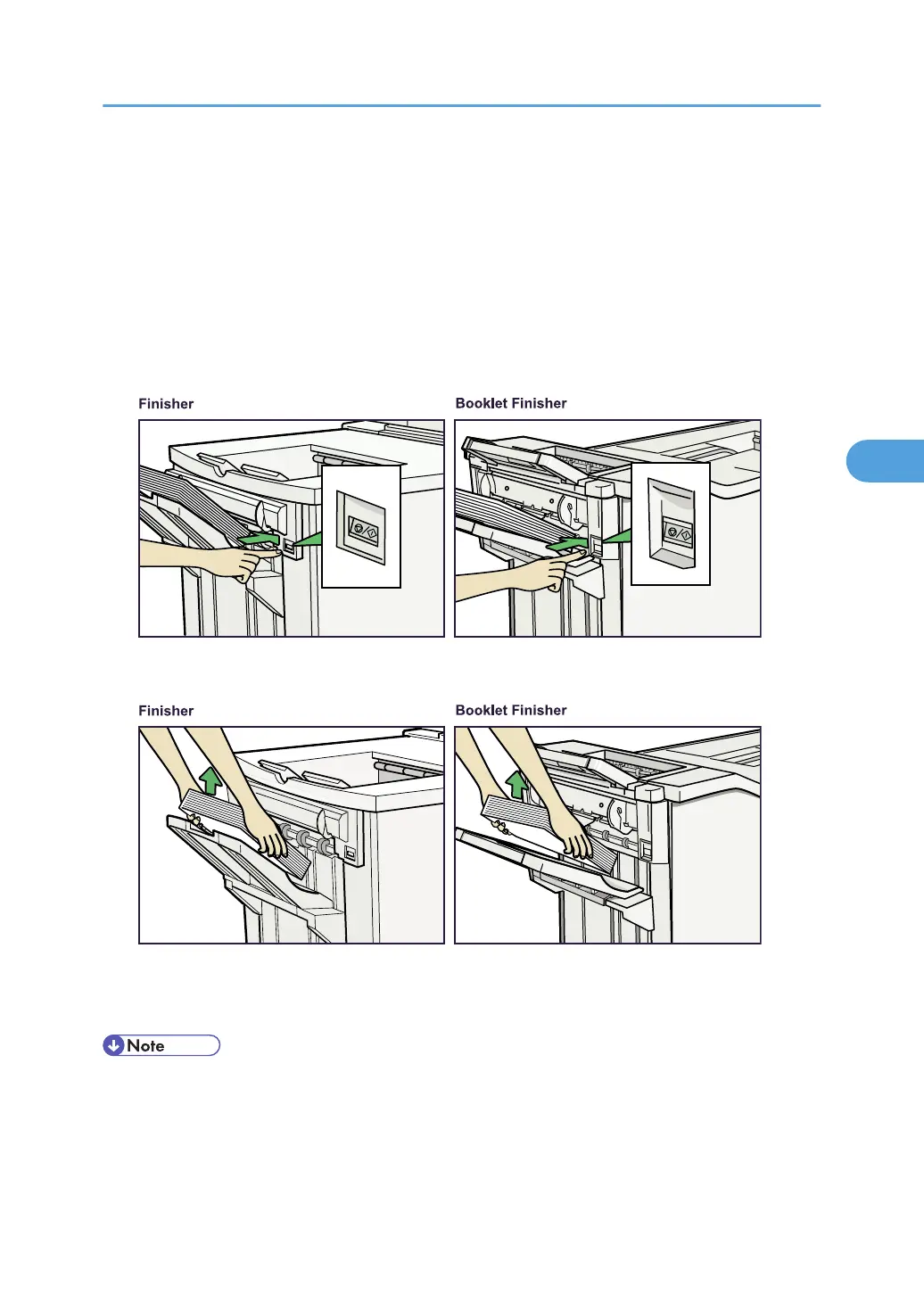
Use the following procedure to temporarily interrupt a long print run when using the Finisher or the Booklet
Finisher.
1. Press the [Suspend/Resume] key.
The key lights and printing stops.
2. Remove the stack of paper from the Finisher Shift Tray.
3. Press the [Suspend/Resume] key.
The key's light turns off. To restart printing, press [Online] on the machine's control panel.
• You can suspend printing only if the output tray is specified as the Finisher Shift Tray.
• Depending on the print image, the prints might not be stacked properly. In such a case, pause printing,
remove the prints, and then resume printing.
Pausing Printing When Using the Finisher or the Booklet Finisher
77






 To Next Page