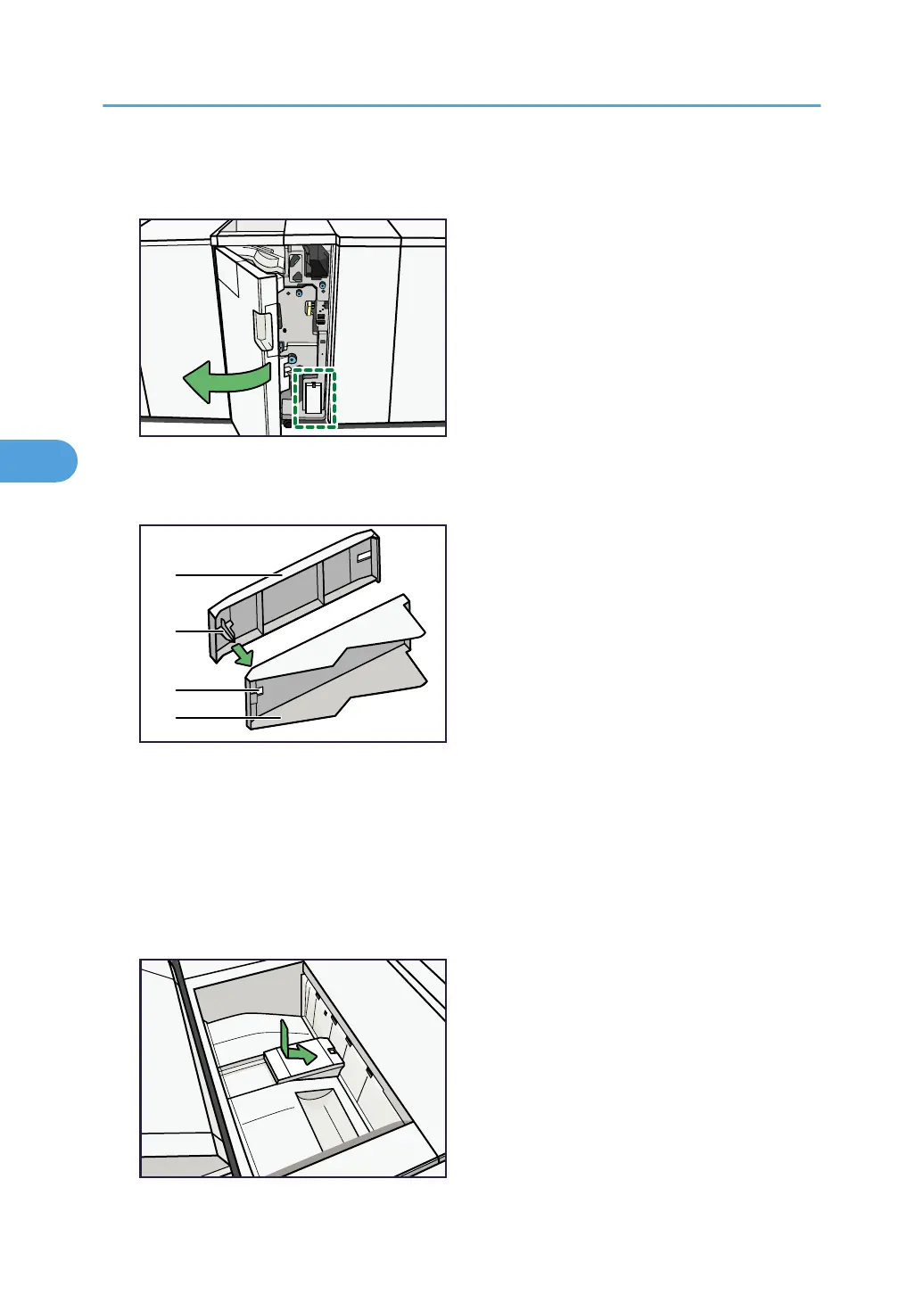
1. Open the front cover of the Folding Unit and remove both Z-fold support trays (located at
the bottom of the Folding Unit).
2. Insert the projecting part of the small Z-fold support tray into the rectangular hole of the
large Z-fold support tray.
A) Z-fold support tray for the Folding Unit (Small)
B) Projecting part
C) Rectangular hole
D) Z-fold support tray for the Folding Unit (Large)
3. Position both Z-fold support trays flush against the end fence in the slope of the Folding Unit
Tray.
4. Appendix
80







 To Next Page