4.Replacement and Adjustment
34
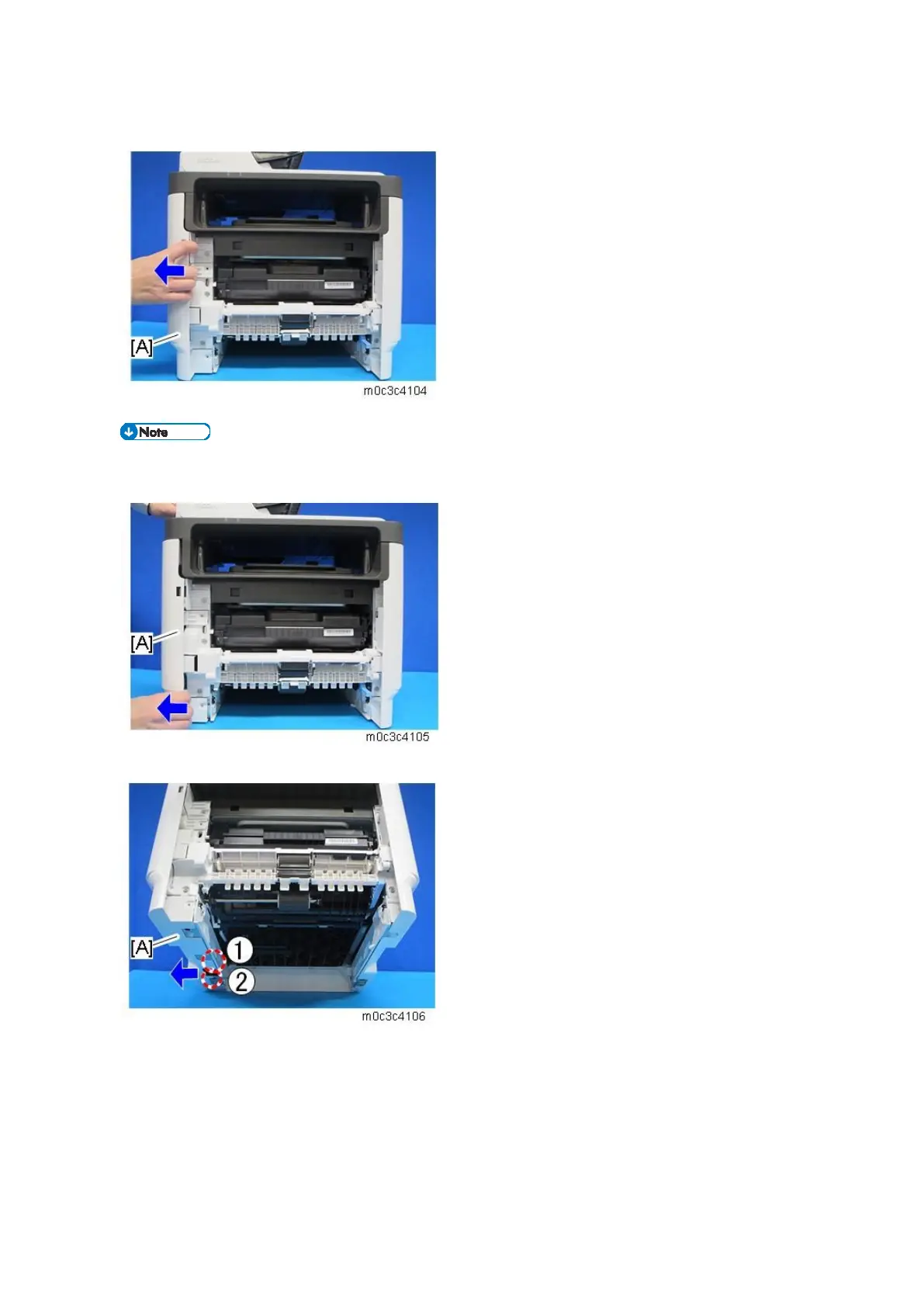
3. Pull the front upper part of the left cover [A] to release the hook.
The outside of the cover has marks indicating the position of the hooks.
4. Pull the front bottom part of the left cover [A] to release the hook.
5. Lift the machine, and release the two hooks of the left cover [A].


 To Next Page
 Loading...