
 Need help?
Do you have a question about the Ricoh SP C252DN and is the answer not in the manual?
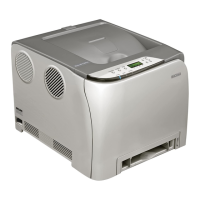
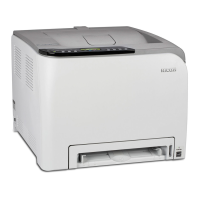
Overview of machine parts including exterior views, interior components, and the control panel.
Instructions on proper placement, environmental conditions, and space requirements for the machine.
Procedure for attaching optional hardware, specifically the paper feed unit.
Details on using the control panel and Web Image Monitor for machine configuration and status checks.
Guidance on setting IP addresses, sharing the printer, and configuring wireless LAN connections.
Enabling and configuring settings to restrict machine functions based on user authentication.
Details on paper types, sizes, weights, and capacities supported by the machine's trays.
Detailed specifications for various paper types, including thickness and duplex support.
List of paper types that should not be used to avoid malfunctions or poor print quality.
Diagrams showing the printable area on paper and envelopes, including feed directions.
Step-by-step instructions for loading paper into various trays, including envelopes and custom sizes.
Guide to initiating and configuring print jobs through the document application.
Procedures for canceling print jobs before printing starts or while printing is in progress.
Resolving errors when paper size or type settings do not match the loaded paper.
Instructions to reset a print job, typically after an error occurs.
Features for password-protecting print jobs, storing, printing, and deleting locked files.
Connecting digital cameras for direct photo printing, including setup and troubleshooting.
Exploring print quality adjustments, color settings, image printing, and output options.
Navigating the machine's menu system using the control panel keys and display.
Listing of all configurable parameters available within the machine's menus.
Configuring paper size, type, and tray priority for different paper sources.
Procedures for printing configuration pages, test pages, font lists, and maintenance reports.
Accessing settings for color density adjustment, toner level notifications, and humidity control.
Configuring auto continue, copies, duplex printing, energy saver modes, and default settings.
Managing timeouts, network settings, IPsec, MAC address, and Wi-Fi configurations.
Adjusting PCL settings like orientation, fonts, pitch, symbol sets, and resolution.
Configuring PostScript settings for resolution and color profiles.
Changing the display language for the machine's menus and interface.
Introduction to remotely managing machine status and settings via a web browser.
Steps to launch a web browser and access the machine's Web Image Monitor interface.
Selecting the desired language for the Web Image Monitor interface from a list.
Viewing machine status, toner levels, component life, page counts, and firmware versions.
Customizing tray paper settings, priority, I/O timeouts, and print priority settings.
Detailed settings for network status, IP addresses, DNS, email notifications, SNMP, SMTP, POP3, and wireless.
Setting up IPsec for secure network communication, including global and policy settings.
Managing administrator passwords, resetting settings, backing up/restoring configurations, and configuring energy saver/PCL6 modes.
Step-by-step guide for removing old and installing new toner cartridges.
Instructions for safely removing and replacing the waste toner bottle.
Procedures for replacing key internal components like the transfer unit and fusing unit.
Important safety and operational guidelines to follow when cleaning the machine's exterior and interior.
Steps to clean the toner density sensor for optimal print quality.
Procedure to clean rollers for preventing paper feed issues like multi-feeds or misfeeds.
Steps to clean rollers and trays to resolve print quality issues like white dots.
Detailed procedures for clearing paper jams from the fusing unit, trays, and transfer unit.
Solutions for common problems like machine not turning on, error messages, or no printing.
Diagnosing and resolving issues like paper not feeding, frequent jams, multiple feeds, wrinkles, or curling.
Addressing print quality problems such as smudged images, blurred output, and color degradation.
Resolving issues related to printing errors, slow printing, incorrect output, and improper paper feeding.
Explanation of control panel messages, their meanings, and recommended actions for resolution.
Interpreting the meaning of various indicator lights on the printer's control panel.
Overview of functions and network settings supported in an IPv6 environment.
Details on IPsec protocol, encryption, authentication, security association, and configuration steps.
Information on third-party toner, print cartridge replacement, and toner lifetime.
Cautions and procedures for safely moving the machine for short and long distances.
Guidance on the correct disposal of the machine, referring to sales or service representatives.
Information on contacting sales or service representatives for further assistance.
Details on print cartridge yield, replacement, and waste toner bottle capacity and replacement.
Technical details including configuration, print process, paper sizes, power, and dimensions.
Technical specifications for optional hardware, such as the Paper Feed Unit TK1010.
Legal copyright notices for software applications included with the machine.
List of registered trademarks and trademarks mentioned in the manual.


 To Next Page


 General