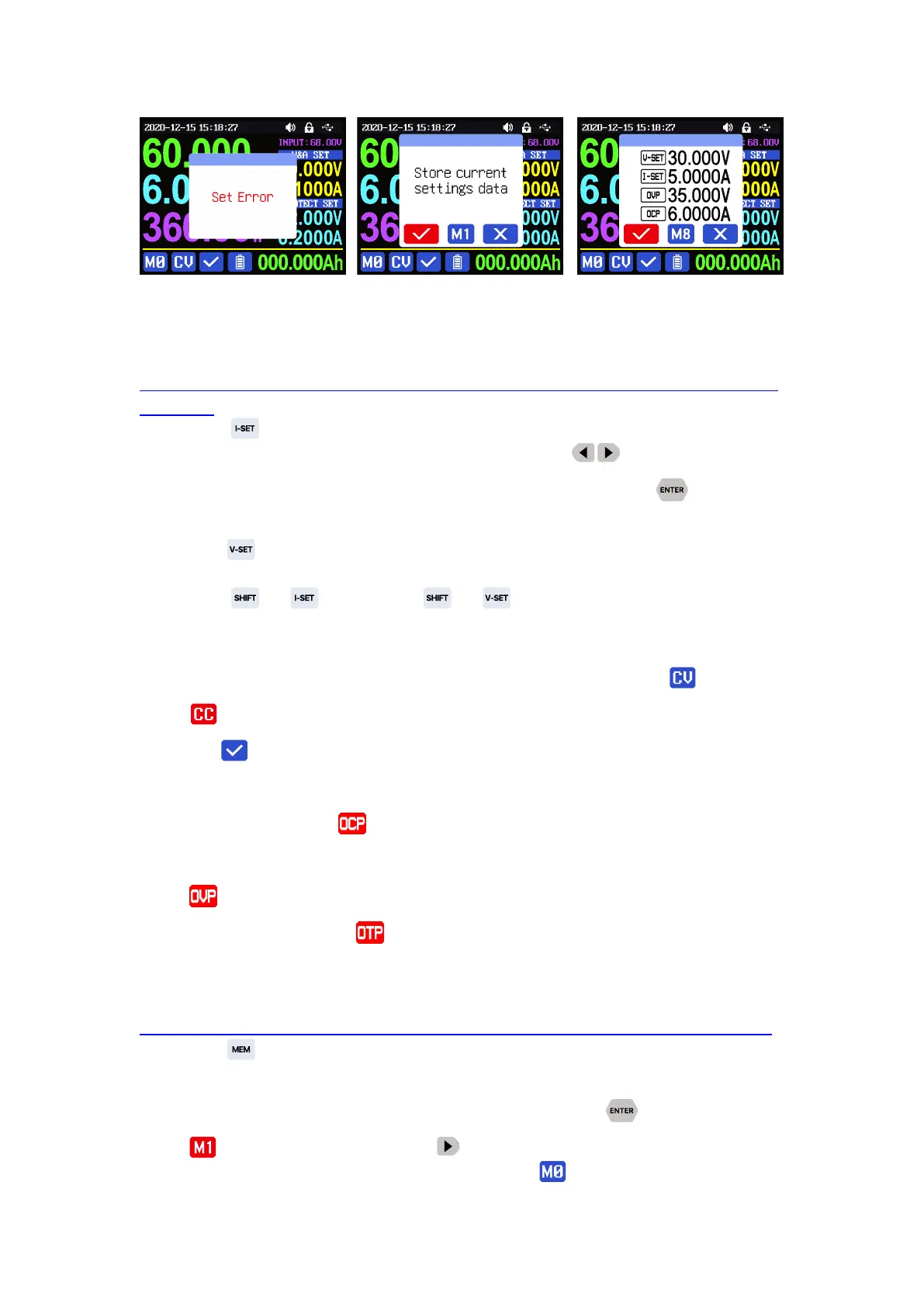
1.4.2.2 Main Page Output Voltage and Current Setting
Output voltage and current setting operation video
:
https://drive.google.com/drive/folders/1NZW7k3-Kyc5YgIh-bWn8gBGaY5xo7_Lm?us
p=sharing
Press button to set the output current value, you can use encoder
potentiometer to adjust the output value directly, press button to move the
cursor. Of course you can use keypad to enter the value, and press to confirm.
If you set the wrong value, you can press encoder potentiometer to cancel.
Press button to set the output voltage value, the operation way is similar
to output current setting.
Press + button / + button to set the over current
protection/ over voltage protection value. The operation method is similar to output
current setting.
When the device is under constant voltage mode, it will show , and it will
show when under constant current mode; when the device works normally it
will show at protection status indication, when the actual output current value
is higher than the over current protection value(OCP), the output will be cut off
automatically, and show , when the actual output voltage value is higher than
the over voltage protection value(OVP), the output will be cut off automatically, and
show , when the system temperature is higher than 80
℃
, the output will be cut
off automatically, and show .
1.4.2.3 Data Group Quick Storage and Call out
Data group quick store and call out operation video
:
https://drive.google.com/drive/folders/139d28IHpZEgpNEC6pfBVruNF3b9FRVWW?usp=sharing
Press + keypad button 1-9, you can store the output voltage value, output
current value, over voltage protection value, over current protection value into the
corresponding data group(as shown in figure 2), then press to confirm, it will
show
at bottom left, you can press
button and choose “X”, then press ENTER
to cancel, after change the setting value it will show .



 To Next Page