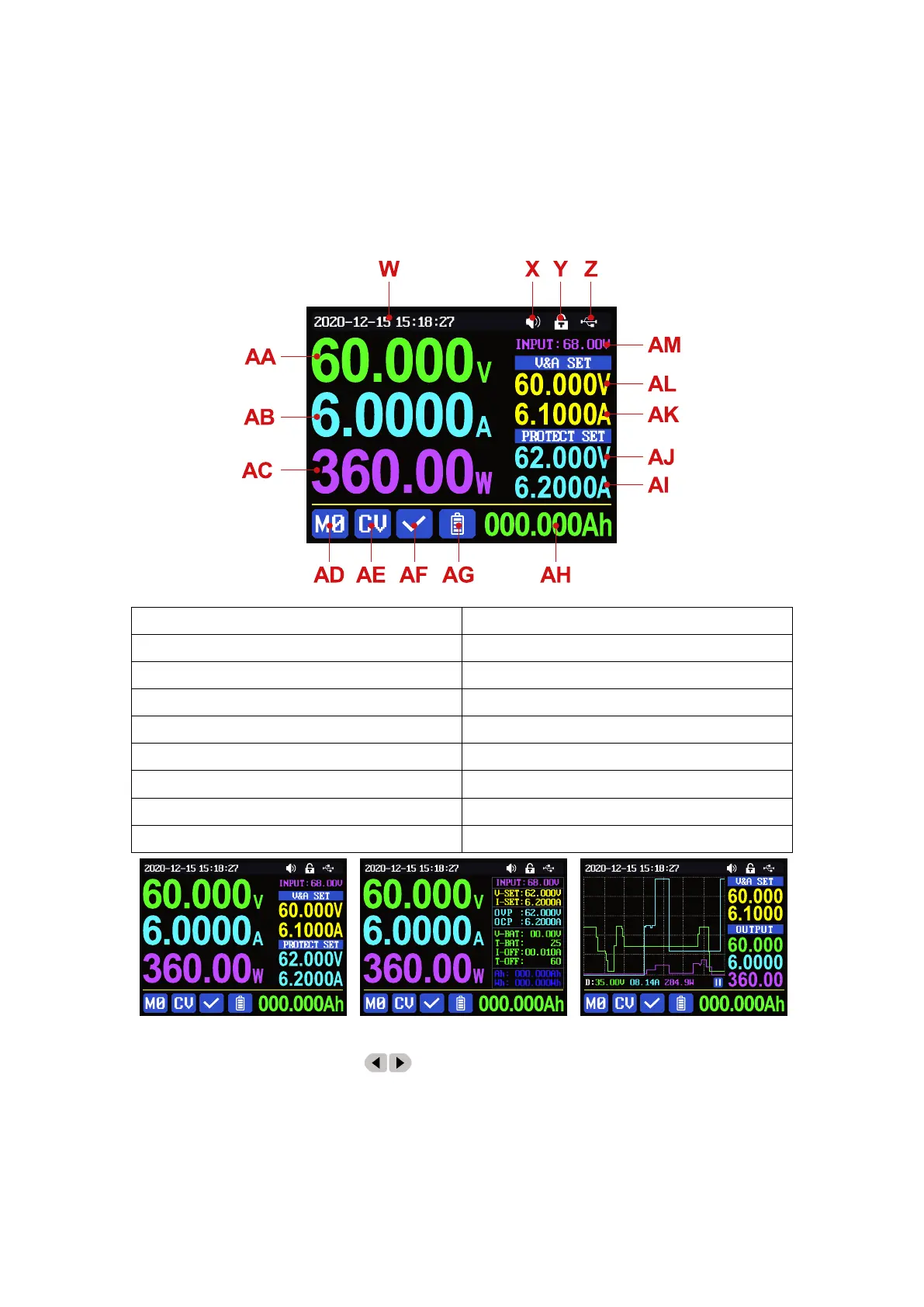
1.4 Operation Instruction
After power-on, it will show boot image first, and then enters the main page.
1.4.1 Main Page
At main page you can press button to change the display style between Traditional
Style, Detail Style and Curve Style, the display style will not be saved automatically, you need to
set default boot display at section 1.4.2.6 Main Page Style Setting.
Z: Communication interface
AA: Actual output voltage value
AB: Actual output current value
AE:Constant voltage Constant current status
AF:Protection status indication
AG: Battery charging indication
AH:Battery related information display area
AI: Over current protection value
AJ: Over voltage protection value
AK: Output current preset value
AL: Output voltage preset value



 To Next Page