CB: protection status indication
CC: battery status indication
CD: constant voltage/ constant current status
CQ: network distribution page
3.2.3 APP Operation
3.2.3.1 Network Distribution
Connect Wi-Fi for the first time, please insert the WiFi board to the right place,
then power on RD6006P, you will see the blue LED blinks once. Set the
communication interface to WIFI, restart RD6006P,
then place the RD6006P and the mobile phone close
to the 2.4G router (the mobile phone must also be
under the same 2.4G network, and the router must
disable the AP isolation function and the WMM
function).
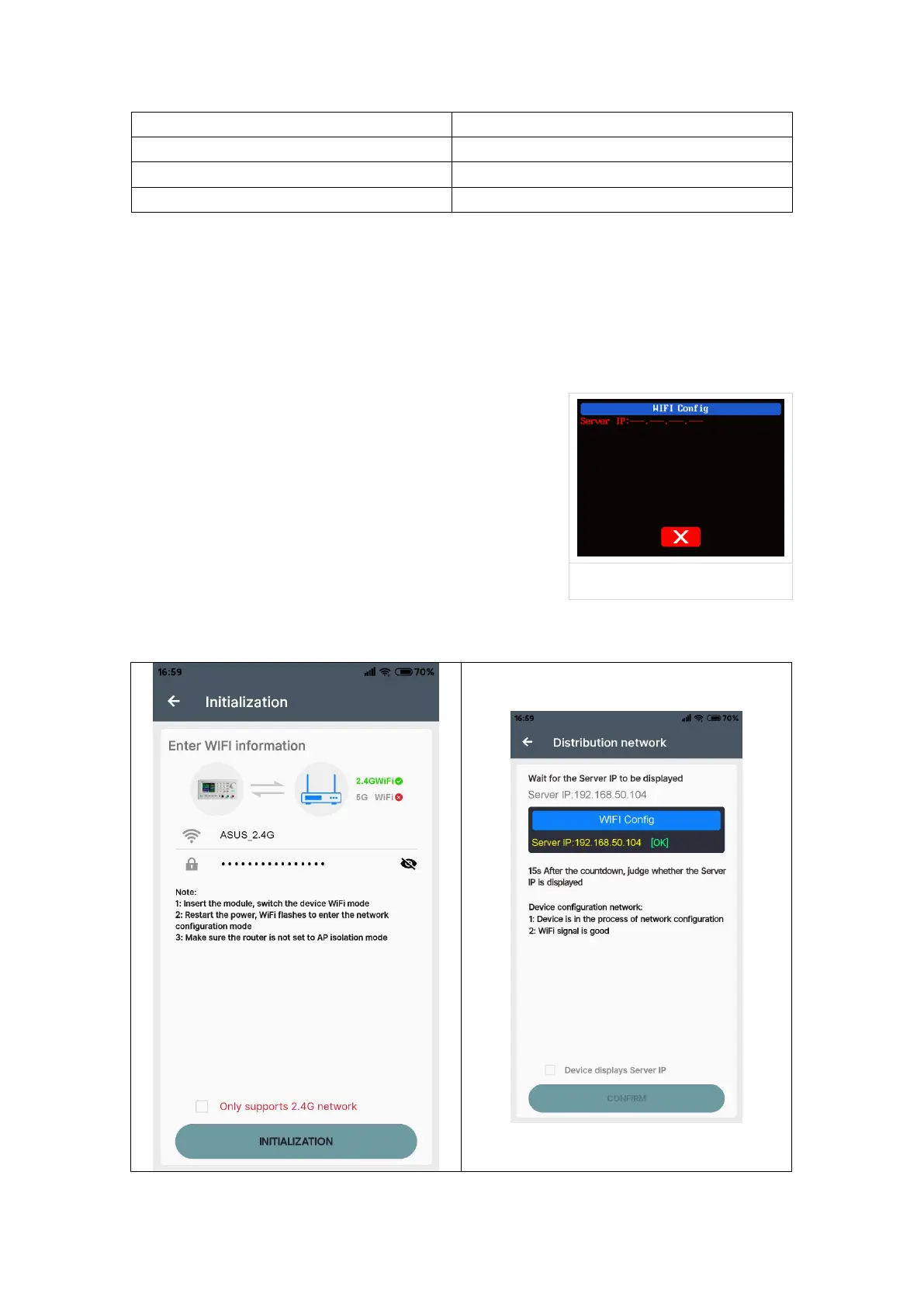
RD6006P will wait for the phone to connect as
shown in Picture 21. Press “CQ” to choose Network
distribution, it will show like Picture 22, then enter the
WiFi password and click INITIALIZATION. Wait 10
seconds



 To Next Page