Apple APP installation and connection process video:
https://drive.google.com/drive/folders/1h6Dbqum3b8uy0Ph7yRd4xhGcx8vHsdCZ?us
p=sharing
After the installation is complete, the mobile APP icon is shown in the figure on the right:
3.2.1 APP Update
You can get the latest software from the Apple Store. When the software is
updated, you will be prompted to update the version.
3.2.2 UI Instruction
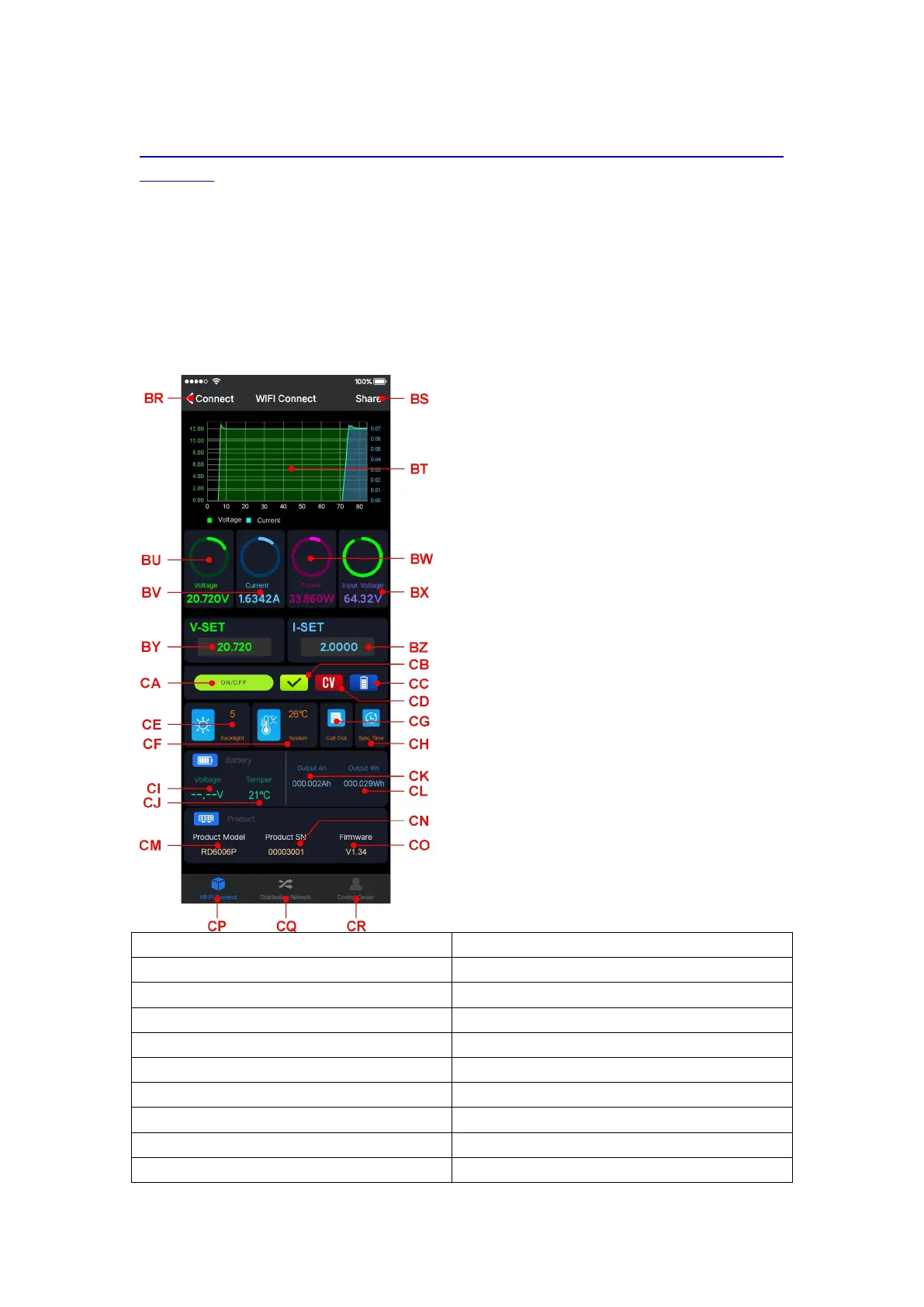
You can see the user interface as shown in Picture below.
BS: export data to mobile phone
CG: data group quick call out
BU: actual output voltage
BV: actual output current
CJ: external sensor temperature detecting value
BX: input voltage measurement value
CK: accumulated output capacity
CL: accumulated output power
CM: model being connected



 To Next Page