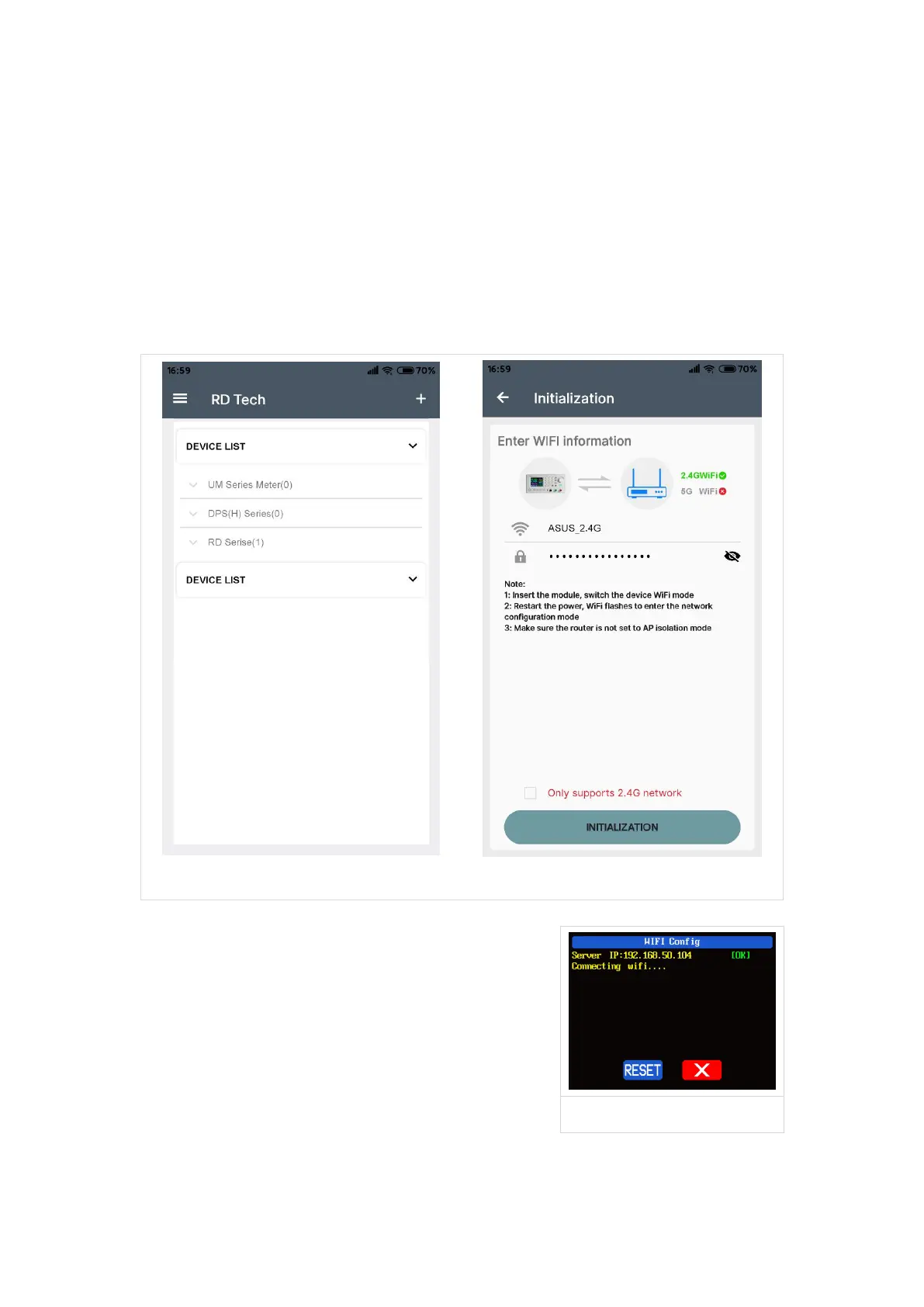
Connect Wi-Fi for the first time, please insert the WiFi board to the right place,
then power on RD6006P, you will see the blue LED blinks once. Set the
communication interface to WIFI, restart RD6006P, then place the RD6006P and the
mobile phone close to the 2.4G router (the mobile phone must also be under the
same 2.4G network, and the router must disable the AP isolation function and the
WMM function).
RD6006P will wait for the phone to connect as shown in Picture 14. Press “AO”
(add device) and choose “RD power series”, it will show like Picture 15, then enter
the WiFi password and confirm you are using 2.4G network as shown in Picture 16.
After 10 seconds
RD6006P will obtain the IP address of your
phone(picture 17), if it shows right, confirm that
“device display sever IP”, and click “Confirm”, wait
20s ( picture 18) , APP show connection successful,
RD6006P will start automatically, the network
distribution success, return to the main page and
click the connect in the “AQ”.



 To Next Page